

- Search: A query is generated and searches the internet for relevant results
- Context: Those results get sent to the AI along with your prompt to generate an informed answer
- Gathering current information on any topic
- Getting real-time data and recent developments
- Searching specific websites (just include the URL in your prompt)
Selecting web search
To use Web search, open a new chat and select a model that supports web search. You’ll see web search availability indicated by the icon in the model selector. If the web search icon is greyed out, that model doesn’t support web search.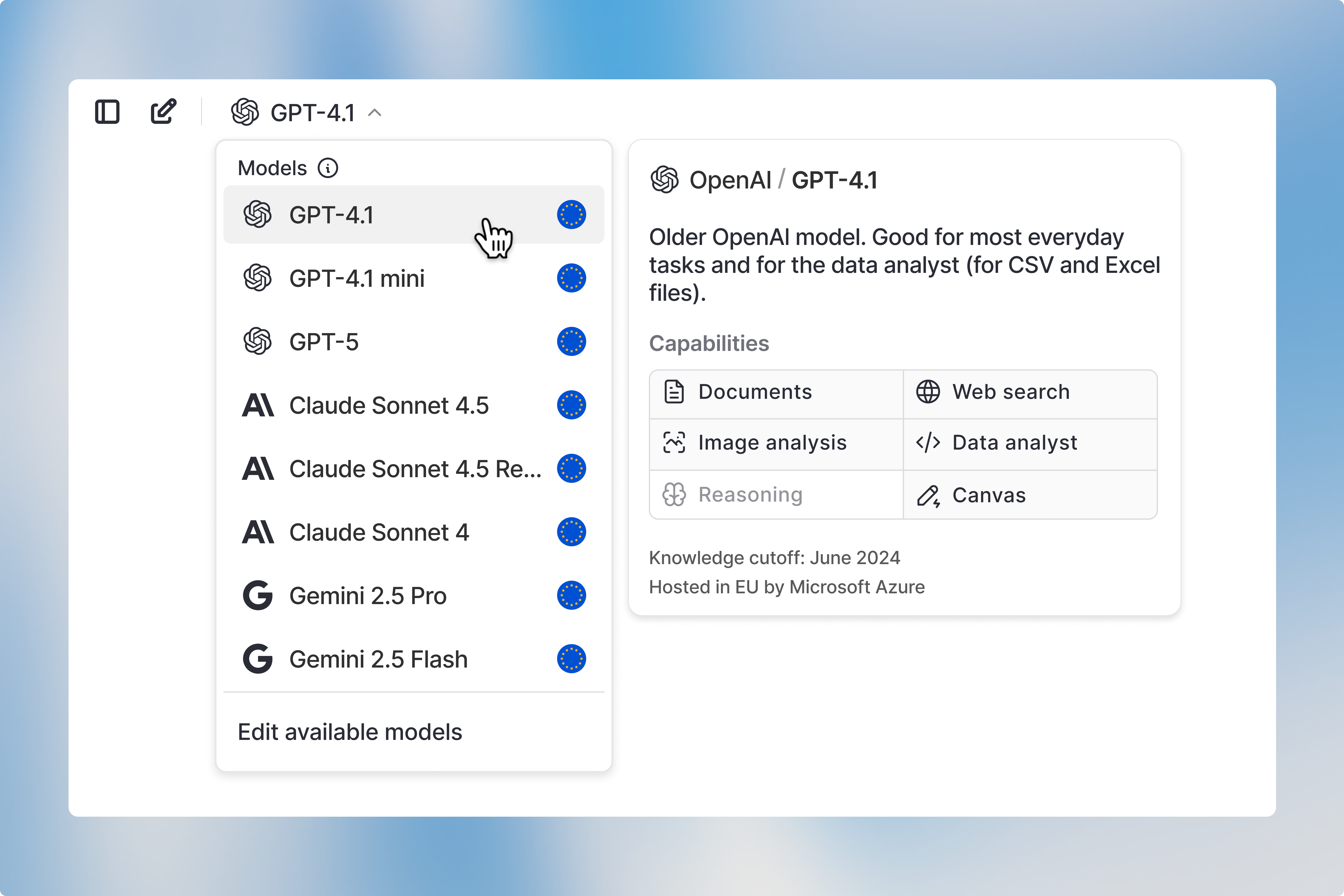

Using web search
Web search automatically triggers when the AI detects that your prompt requires information beyond its training cutoff date. Your prompt then gets reformatted into an optimized search query, then our search model finds relevant results across the web. Once the search is complete, the model analyzes findings from multiple websites and synthesizes them into a comprehensive answer for you. The whole process happens seamlessly in the background, so you get current information without any extra steps on your end.Inspecting sources
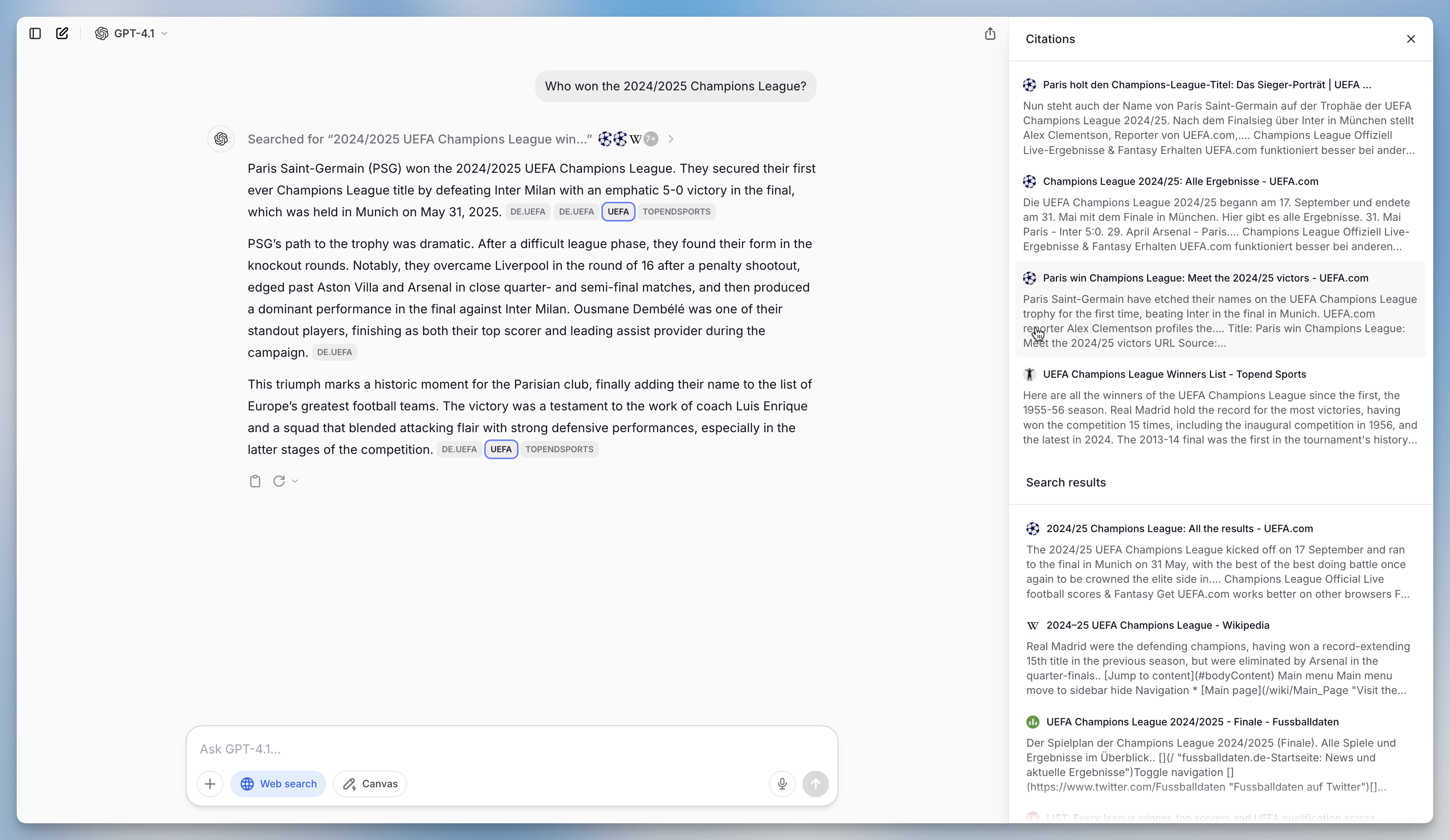
When you want to see what websites the AI used to write the response, click on Searched for “your search query” to view the complete list of websites that were analyzed.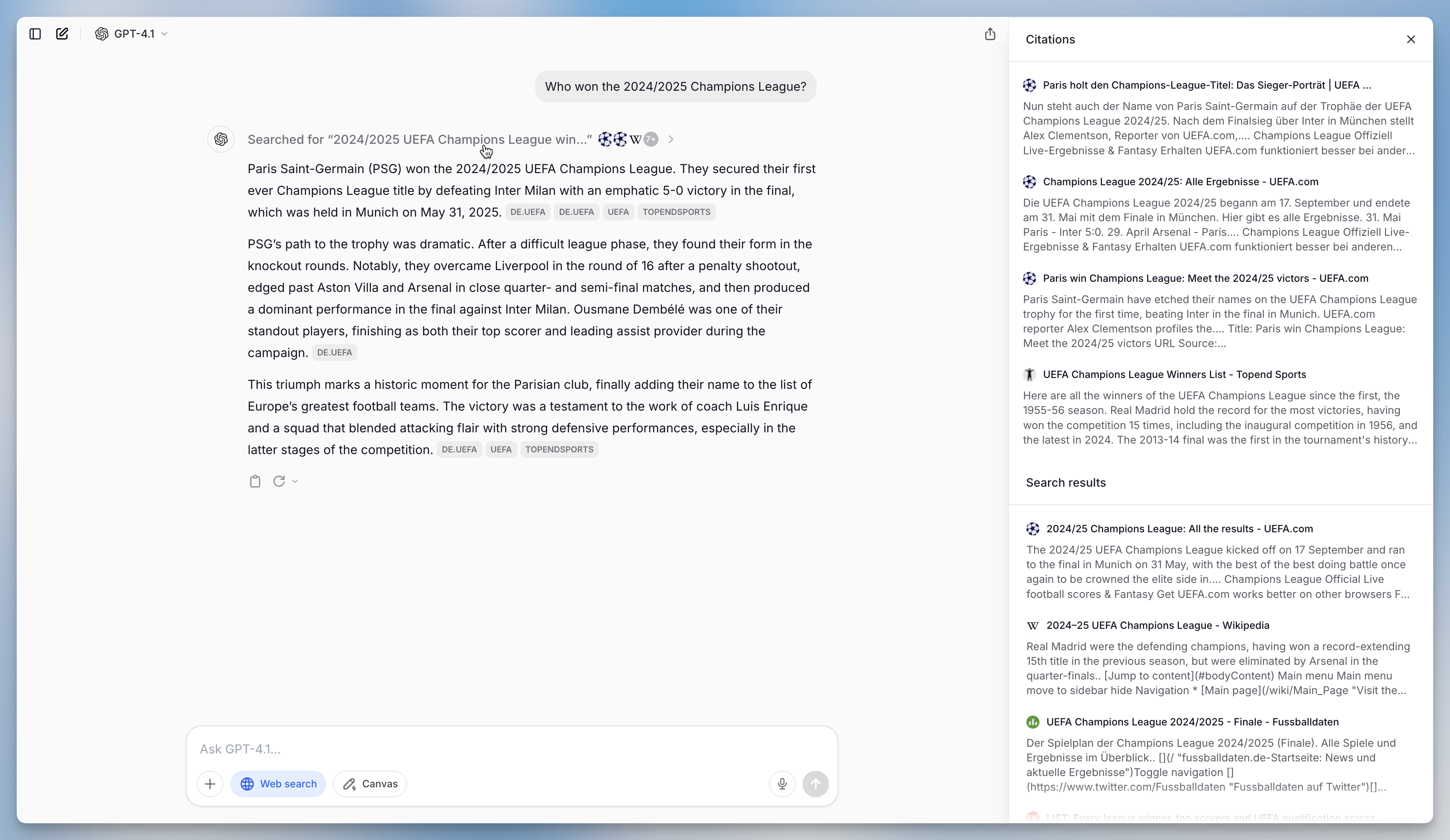
Opening specific URLs
While web search finds relevant pages across the internet, sometimes you need to access a specific URL directly. The open_url tool retrieves and renders the content of a webpage you specify.When to use open_url vs web search
How it works
When you share a URL with the AI, the open_url tool fetches the page content and converts it to text that the model can analyze. This is useful for:- Summarizing articles or documentation
- Extracting specific information from a known page
- Analyzing content from links shared in conversations
Usage limits
Best practices
- Be specific about what you need: Instead of just pasting a URL, tell the AI what you’re looking for. For example: “Summarize the key points from this article: [URL]”
- Use web search for discovery: If you’re not sure which page has the information you need, start with web search to find relevant sources
- Batch related URLs: If you need content from multiple pages, include up to 3 URLs in a single message to stay within the limit
FAQ
When should I use Web Search?
When should I use Web Search?
Use Web Search when the answer depends on current public information or sources outside the model’s training data. It is useful for recent events, current websites, public documentation, market information, and source-backed answers.
Why might Web Search not return the expected source?
Why might Web Search not return the expected source?
Search results depend on the query, source availability, indexing, and access restrictions. If a specific source matters, name it directly in the prompt and include relevant keywords, date ranges, or page titles.