

Add a database
Describe in the builder chat what the app should save and who enters it. For example:Now add a database for users to add new data on channel spend.The builder adds the database and the parts of the app that use it, such as a form and a table of saved records. Test these in the preview before you click Create. See Create and edit an app.
Inspect the app’s tables
You need the Owner or Editor role on the app to open the Data tab.1
Open the app
Open the app from the Apps page.
2
Open More tabs
Click the plus icon, More tabs, in the controls above the app.
3
Click Data
Click Data. The Database view opens with the description “Data stored in your live app.”
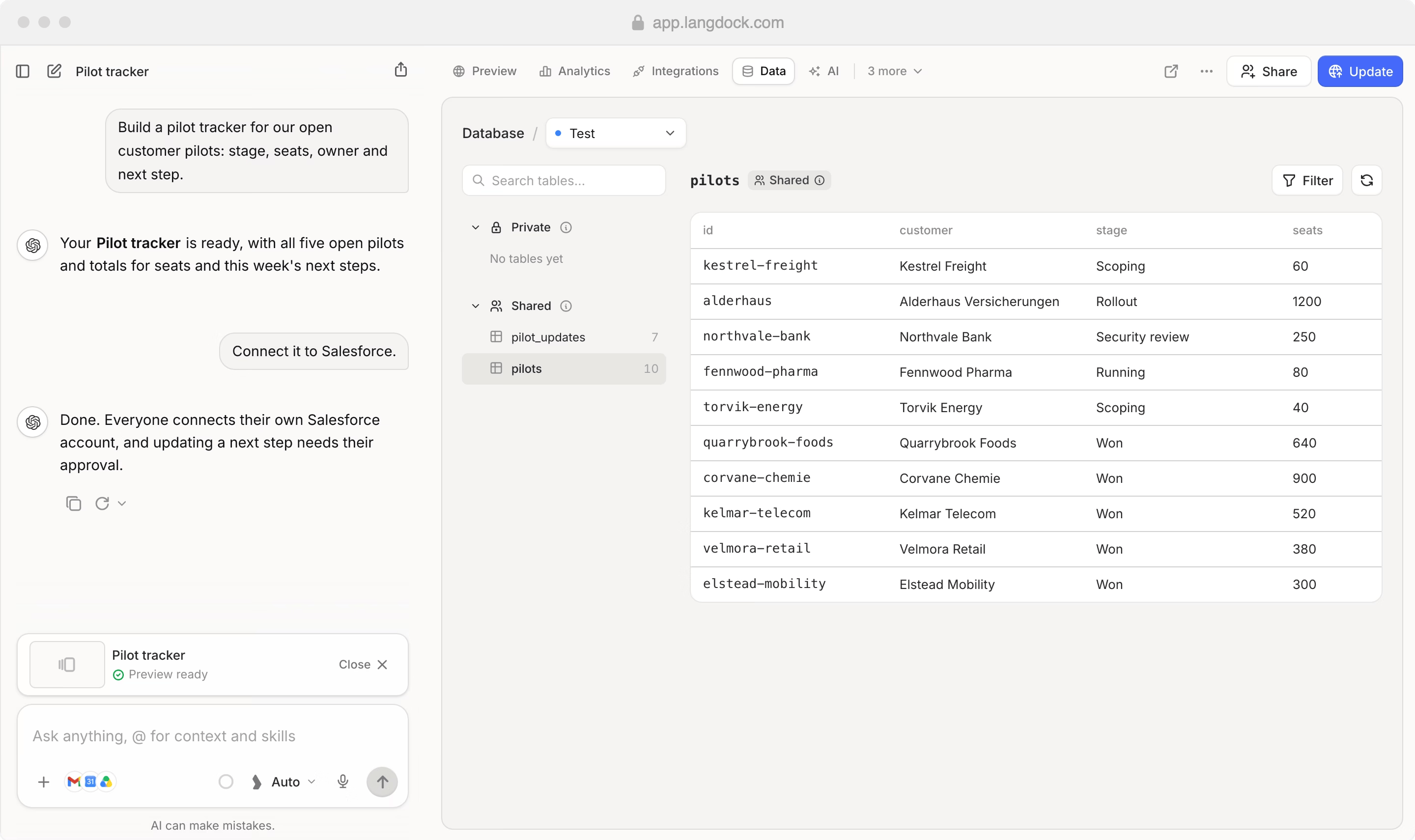
Private and Shared tables
The Data tab groups tables under Private and Shared:- Private: Each user has their own data in these tables. In the Data tab, you only see your own data.
- Shared: These tables contain data shared across all users of the app.