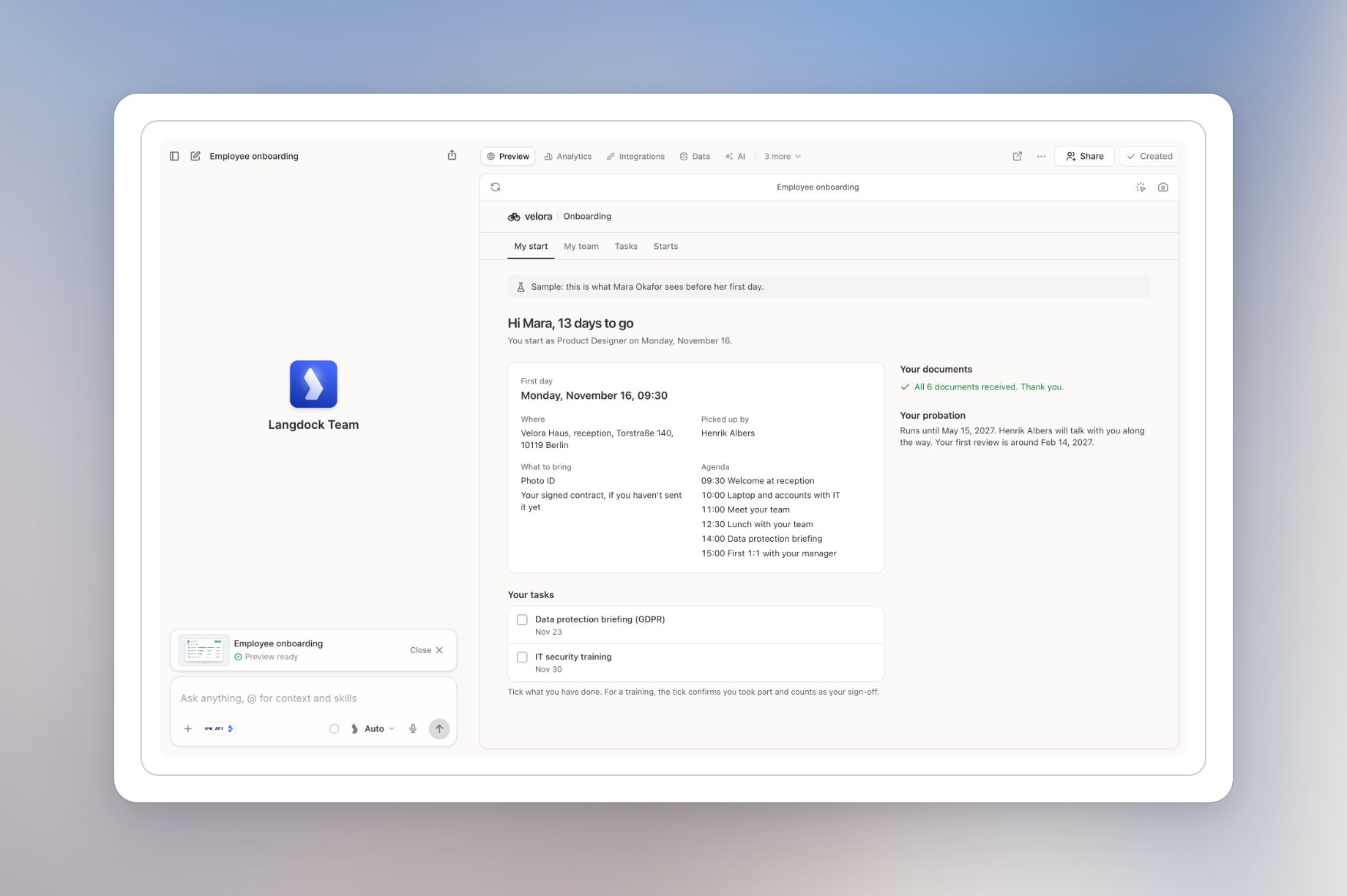
Browse templates
1
Open Apps
Click Apps in the sidebar.
2
Click Browse templates
Click Browse templates next to Create app. The App templates page opens.
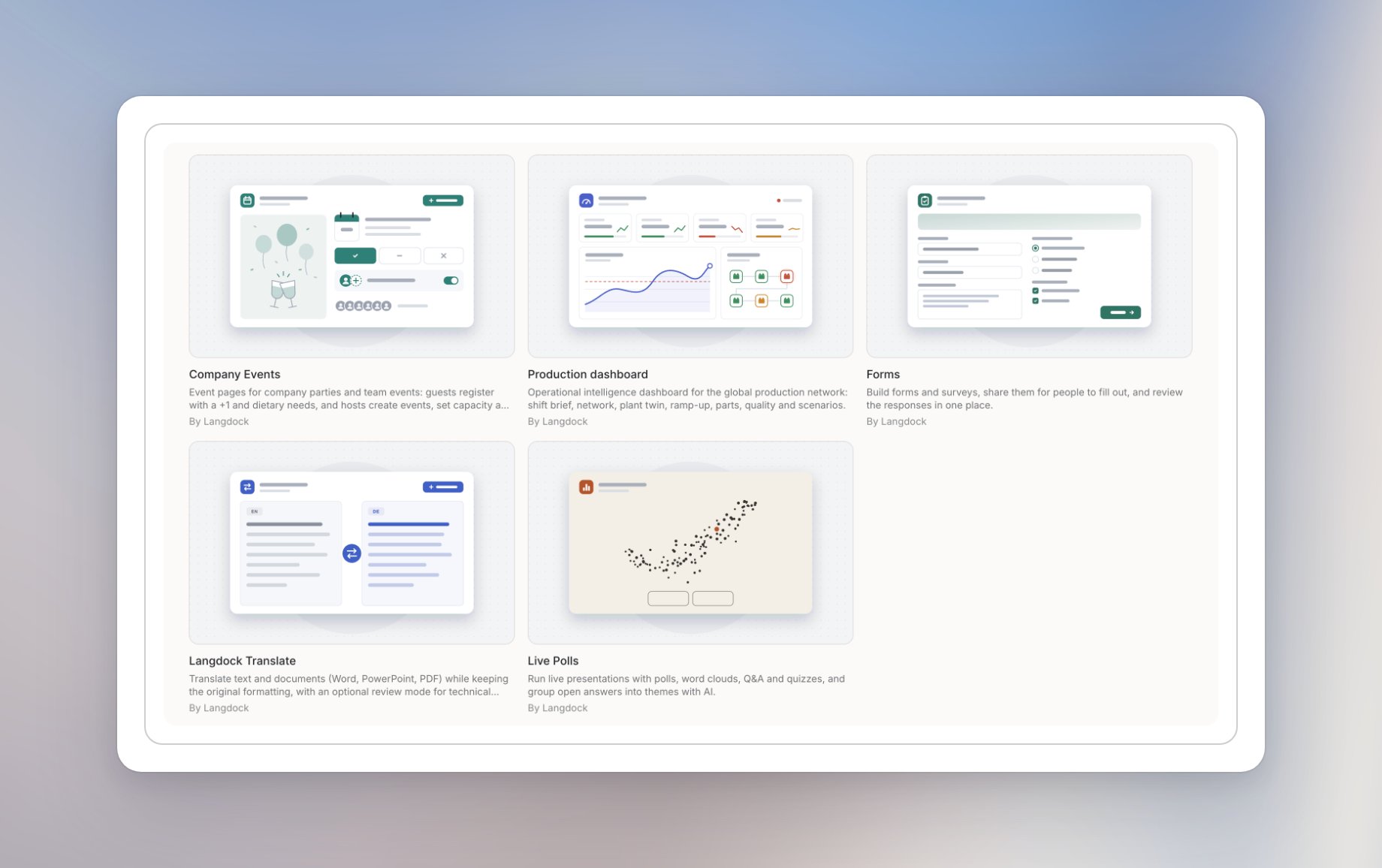
- Employee onboarding
- Visitor Management
- Training matrix
- Company Events
- Production dashboard
- Forms
- Langdock Translate
- Live Polls
Review a template
Click a template to open its details. Read the description to check whether it fits your task. For example, Employee onboarding is a starting point for managing new hires, onboarding tasks, documents, and training.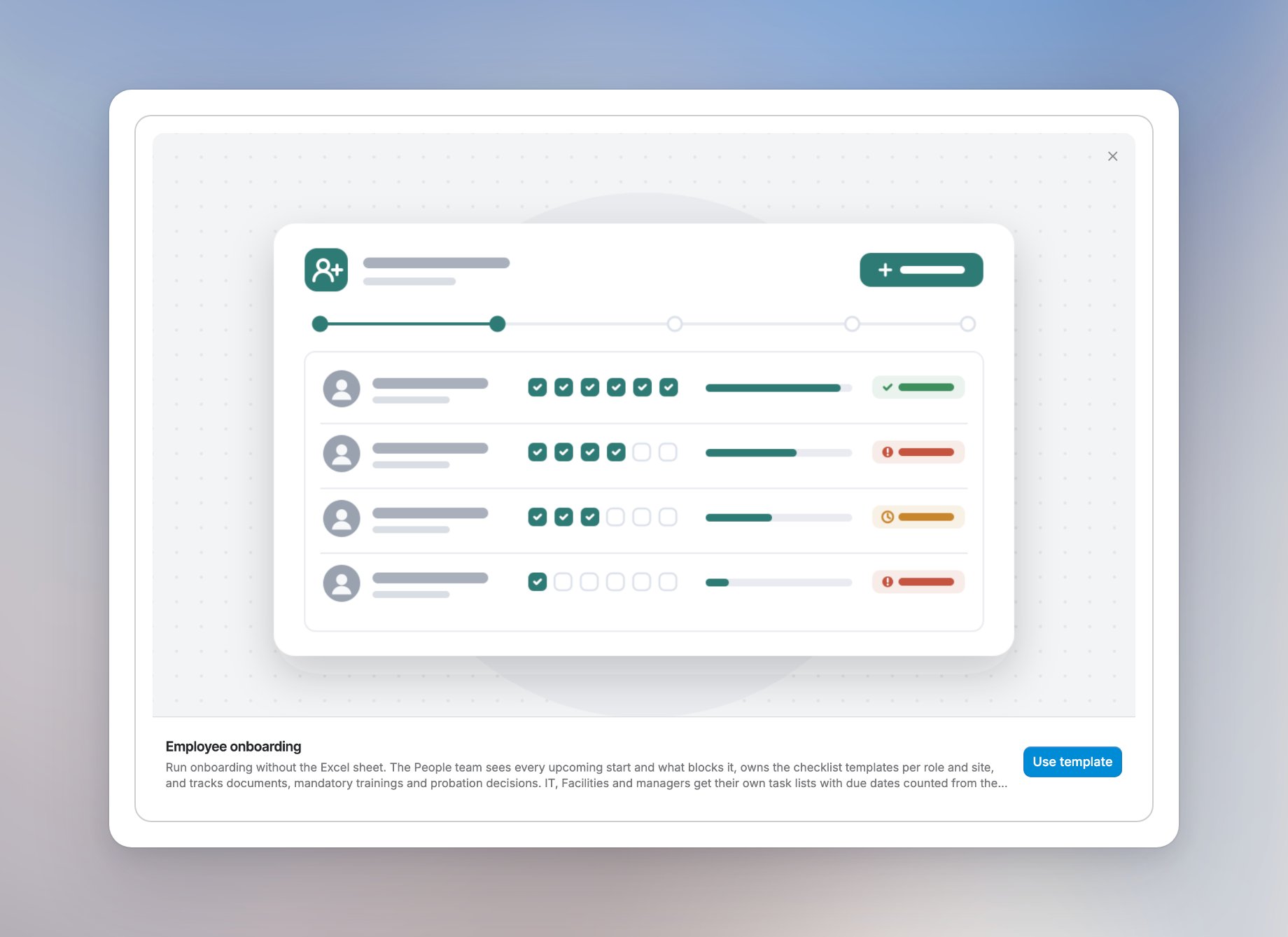
Use the template
Click Use template and wait for the app to load in the builder. Langdock creates your copy of the app right away. It’s private to you until you share it, and the button at the top right shows Created. The builder opens with the chat on the left and the app preview on the right. In this example, the Employee onboarding app shows a sample employee’s first day and tasks.