

As AI adoption grows in your workspace, so does the number of agents and skills your team creates and shares. Governance gives you, as a workspace admin, a single place to keep oversight: review every agent, understand what shared skills can do, and define compliance rules that check agents automatically. Instead of tracking spreadsheets or reviewing agents one by one on request, you see the compliance state of your entire workspace at a glance and can act directly where needed.
Governance is a paid add-on for your workspace and is free to use until January 1st, 2027. After that, you can add Governance to your subscription in your billing settings.
What you can do with Governance
Review agents
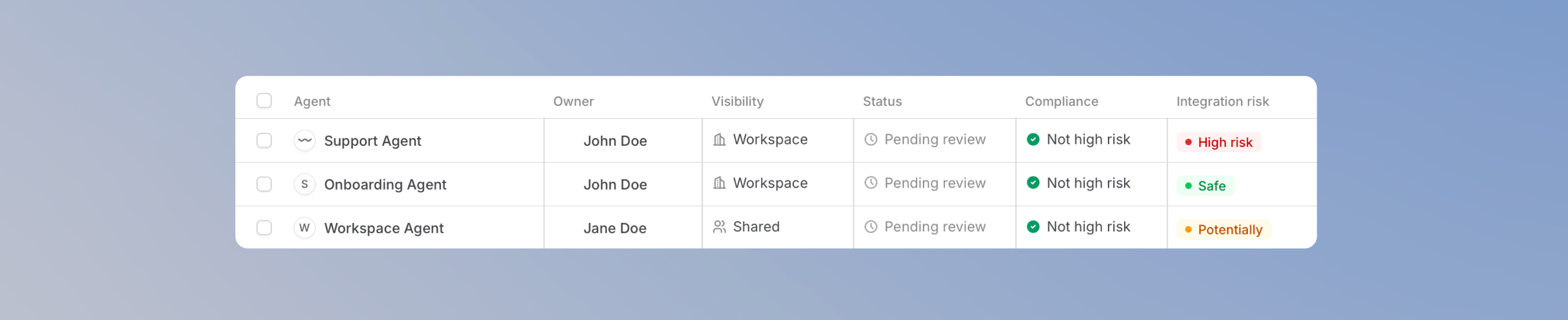
Oversee skills

Enforce compliance rules

Who Governance is for
Governance is for people who oversee how AI is rolled out and used: IT and security teams, compliance officers, and platform owners. When Governance is on, every workspace admin has full access. If someone should stay out of Governance, they should not be a workspace admin. You can also give View governance to people who are not admins, as an extra permission, a custom role, or a group grant. See Roles and extra permissions. A workspace extra or custom role opens Governance for the whole workspace. A group grant opens it only for resources owned by people in that group. Sharing the group is not enough. Creating, editing, deleting, and turning compliance rules on or off stays with workspace admins. Everyone else with access can still review agents, see rule results, and take the other Governance actions on the resources they can see. Agent editors only notice Governance when someone disables their agent. They are then notified with the reason.Enable Governance
Governance is disabled by default. To start using it:1
Open your workspace settings
Go to your workspace settings and open Governance. Turning the product on requires admin access.
2
Turn on Enable Governance
Turn on Enable Governance. Every workspace admin then has full access. To give access without making someone an admin, use Roles and extra permissions. Open Roles or Members in the app.
3
Decide how to handle private agents
Optionally, turn on Hide private agents and skills from compliance view. Agents and skills that are not shared with anyone are then excluded from the Governance agents and skills lists.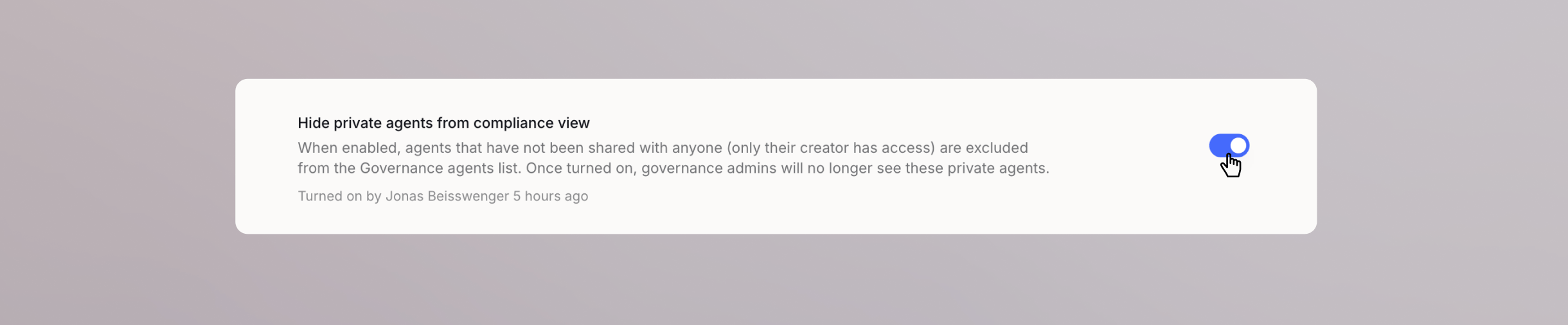
Pricing
Governance is free for all workspaces until January 1st, 2027. After the free period, Governance is billed as an add-on per user. The exact price depends on the number of seats in your workspace and whether you are on monthly or annual billing, with the price per user decreasing as your workspace grows. You can find the current add-on pricing on our pricing page. If you want to keep using Governance after the free period, add it to your subscription in your billing settings.What’s coming next
Governance launches with agents, skills, and compliance rules. Oversight for workflows, an integrations view, and visibility into MCP gateway usage are planned as future additions, extending the same review approach to everything your team builds in Langdock.FAQ
How are Compliance Rules different from Workspace Skills?
How are Compliance Rules different from Workspace Skills?
Workspace Skills guide the AI during chats when they are active. Shared skills apply after someone installs them. Mandated skills apply for everyone automatically.Compliance rules check an agent’s configuration and instructions against your standards. Each completed check records a pass or fail, and you can approve, flag, or disable the agent from there. The checks look at how the agent is set up, not at what people say in chats.