Workspace admins set allowed usage from the agents table in workspace settings. The agent’s owner and editors set it from the agent editor.
Set allowed usage
- Go to Workspace Settings → Products → Agents
- Find the agent and click the ⋮ menu
- Select Allowed usage
- Choose Default, Direct only, or Only as a subagent
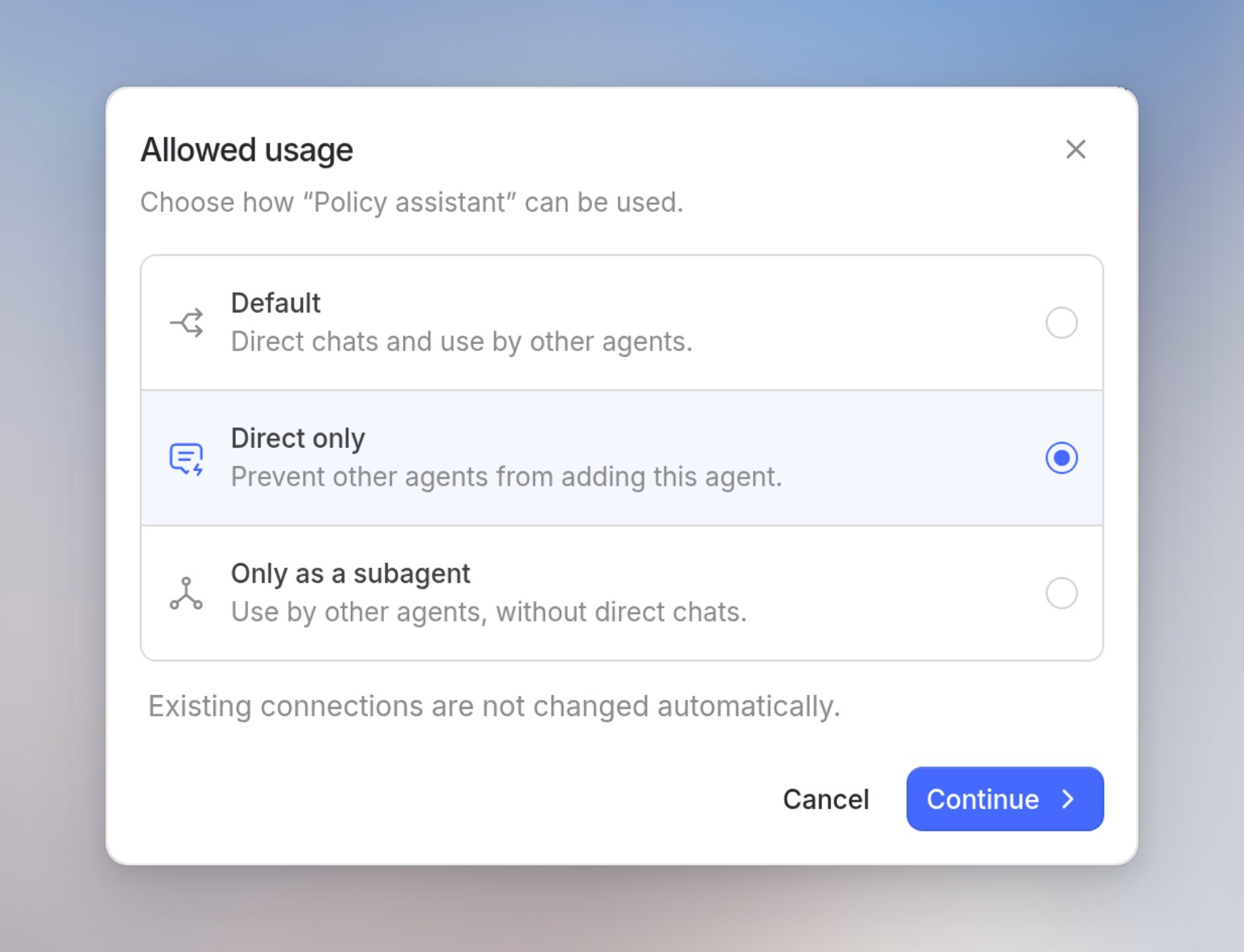
- Default keeps direct chats and use by other agents. Sharing settings still control who can access the agent.
- Direct only stops other agents from adding this agent. People can still open a direct chat with it. Existing connections stay until you remove them.
- Only as a subagent keeps the agent available to other agents and turns off direct chats.
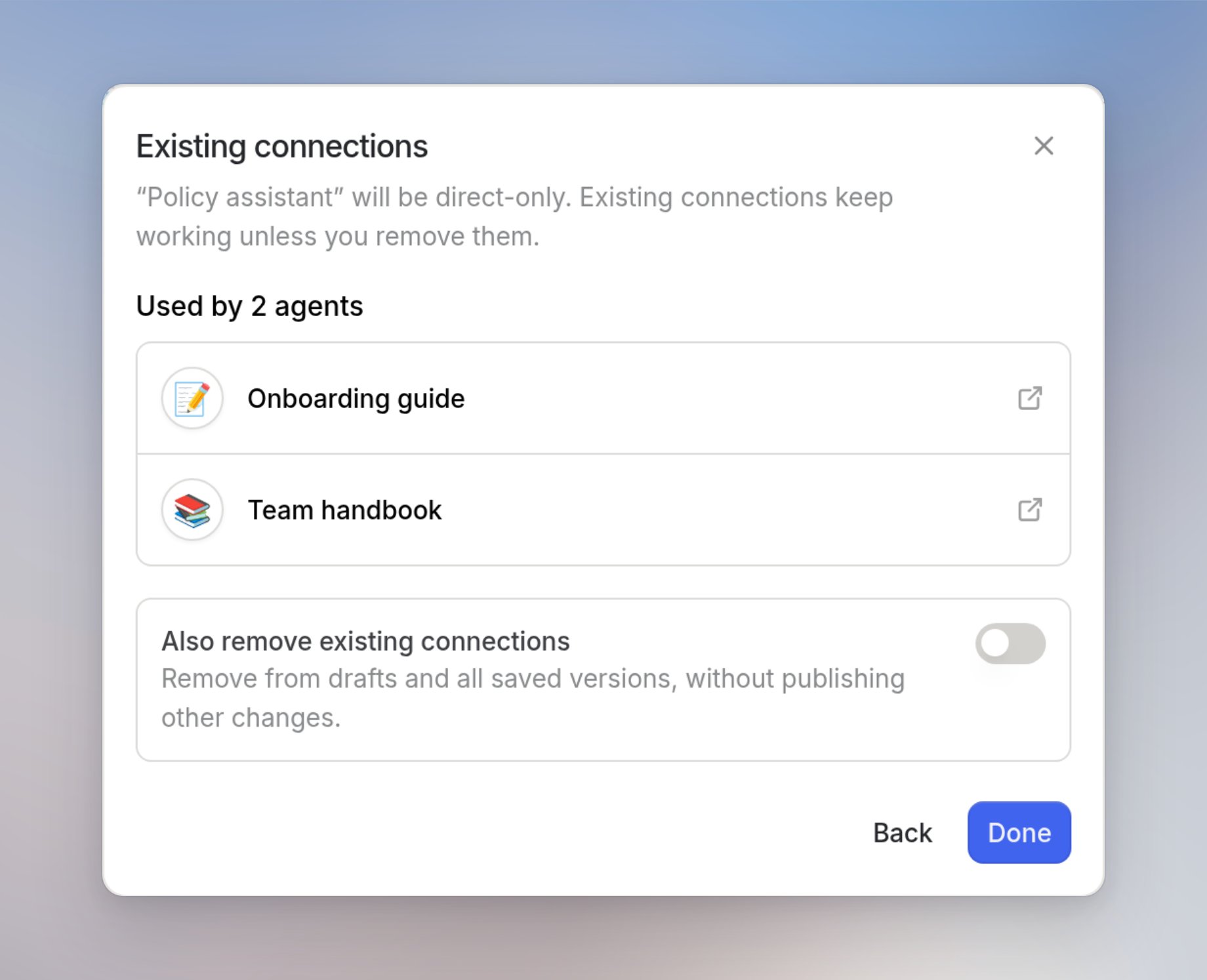
Existing connections
Direct only leaves agents that already use this agent in place. The connections step lists those parent agents. Active parents open in a new tab. Deleted parents show Deleted and cannot be opened. If you are not a workspace admin, the list shows only the parent agents you can access. The rest appears as And N more. Leave Also remove existing connections off and click Save to keep them. Turn it on and click Save and remove to delete those connections from drafts and every saved version in the workspace. No other draft changes are published. Removal cannot be undone. If the agent has no existing connections, the choice saves immediately and this step does not appear.