

This page is available to workspace admins when Scheduled is enabled for the workspace.
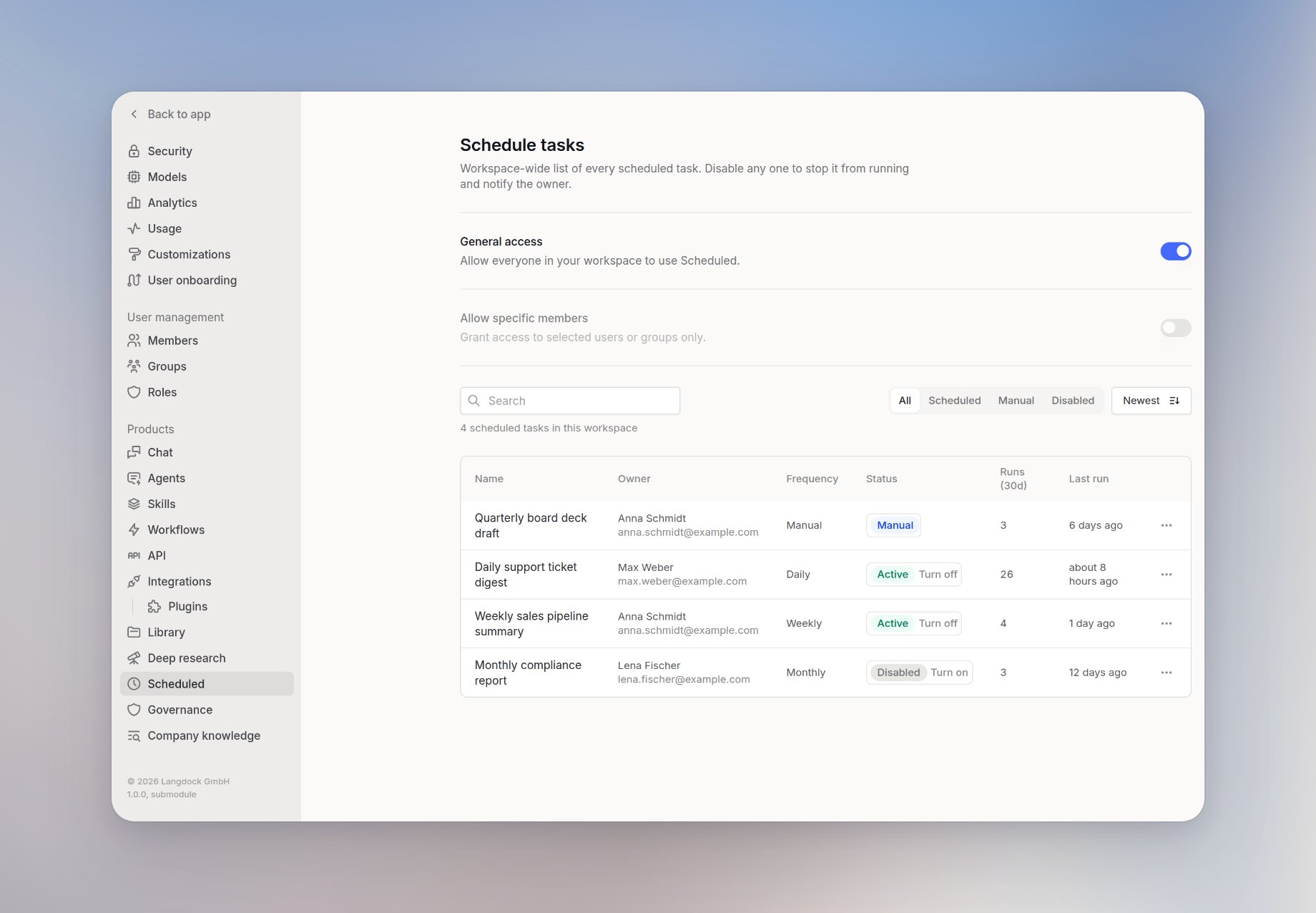
Open the Scheduled settings
1
Open Workspace settings
Open the workspace menu and select Workspace settings.
2
Select Scheduled
Under Products, select Scheduled.
Turn a scheduled task off or on
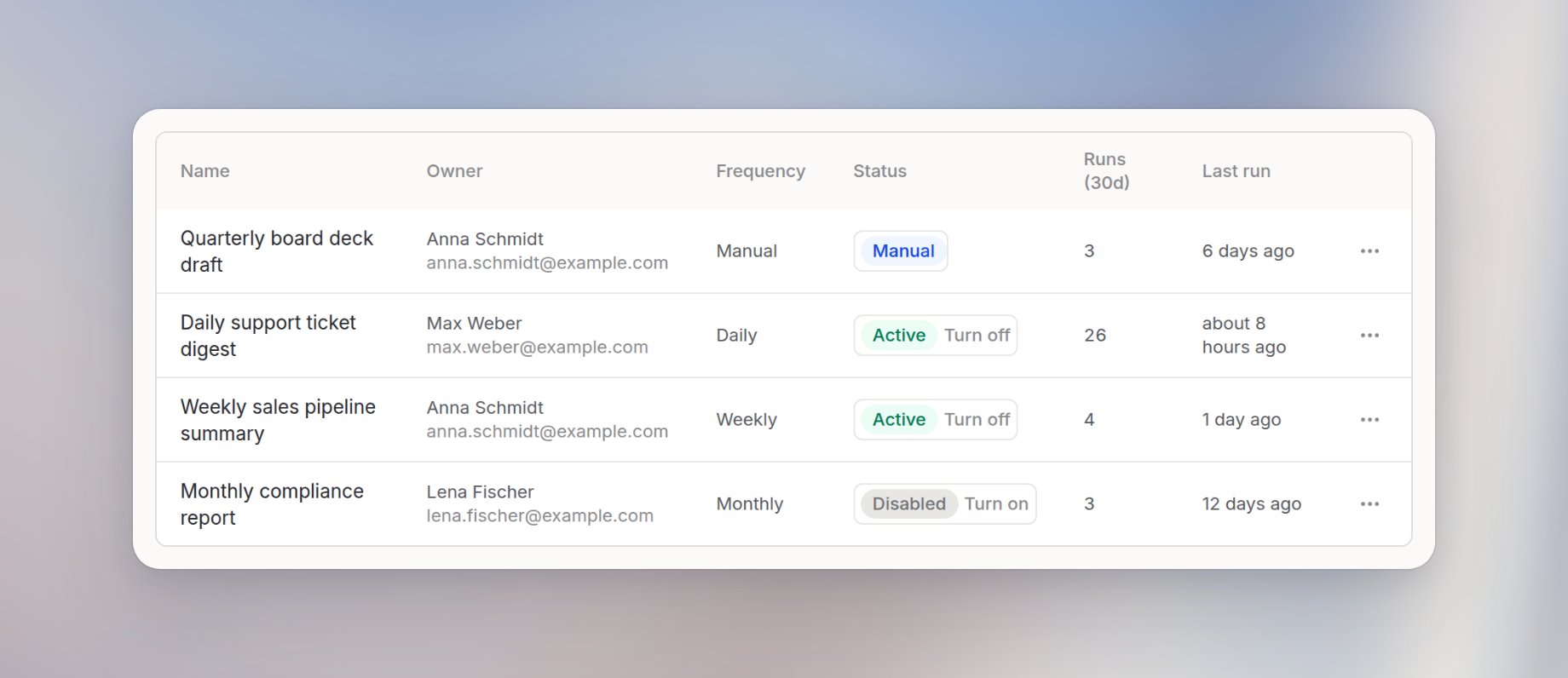
- Select Turn off to stop future scheduled runs. The task stays in the owner’s account, and the owner receives a notification.
- Select Turn on to restore a task. If the task has a schedule, it runs at the next matching time. The owner must still have access to Scheduled.
Active manual tasks do not have a status control because they do not run on a schedule.