The Share requests page lists agent sharing that still needs a reviewer, so you can approve or reject an audience the owner or editor cannot grant themselves. Open Share requests in Governance when an owner or editor has asked to share a published agent with people, a group they belong to, or the whole workspace.
Workspace admins and people with View governance for the whole workspace can review requests for every agent. A group grant of View governance covers only agents owned by people in that group.Share requests start on when Governance is available. A workspace admin can turn them off under Share requests in Agents settings. Projects, disabled or archived agents, and agents with admin-managed sharing are not in this queue.

Review a request
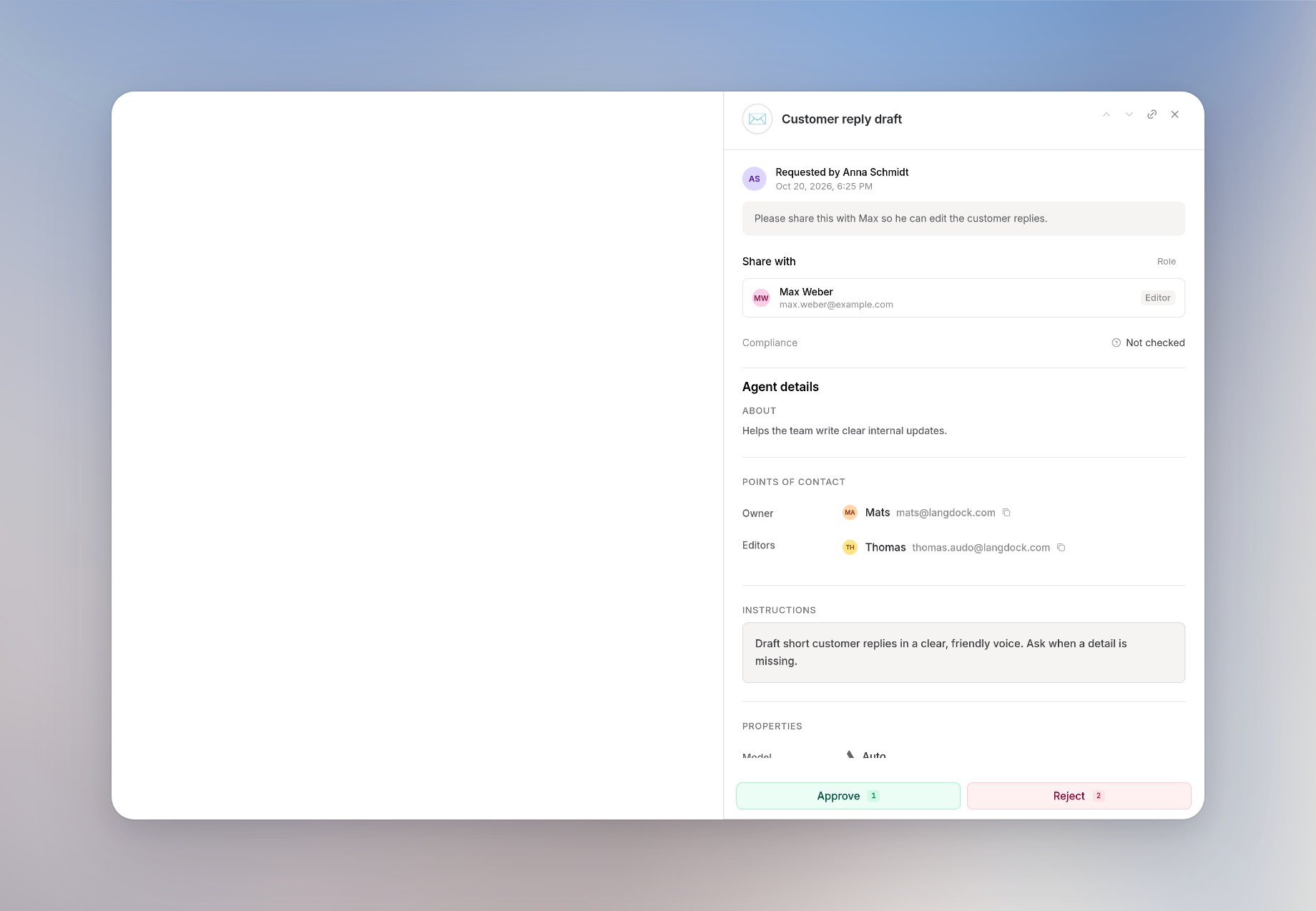
Share requests in Governance with a pending request open, showing the audience, the role, Approve, and Reject
The list shows who asked, who they want to share with, and whether the role is User or Editor. Search by agent name, then open a request. You see the audience, the requested role, any note from the requester, the published instructions, and the compliance risk. On an agent in the agent detail view, Sharing lists that agent’s pending requests and opens them here. History lists that agent’s share requests, including ones already decided. When User-level data is off, names of requesters, reviewers, and individual people are hidden. Counts, roles, and group names stay visible.

Approve or reject

Click Approve, then Approve and share, to grant the requested access. Access that was already there stays in place. A User grant can become Editor when that is what was requested. Click Reject to leave existing access unchanged. You can add an optional comment of up to 500 characters. The comment is saved with the request and included in the notification to the requester and the agent owner.

When share requests are turned off

Share requests stays in the sidebar. The page then shows Share requests are turned off, the pending count is hidden, and you cannot approve or reject. Requests that were already sent stay stored. People who already have permission to share agents still share immediately. A workspace admin turns the queue back on from Open settings on that page, or from Share requests in Agents settings. The switch is available only when Governance is on.