

Assistants API (Deprecating)
Assistants Completions API
deprecated
Creates a model response for a given Assistant.
POST
Creates a model response for a given assistant id, or pass in an Assistant configuration that should be used for your request.
To share an assistant with an API key, follow this guide
Request Parameters
Message Format
Each message in themessages array should contain:
role(required) - One of: “user”, “assistant”, or “tool”content(required) - The message content as a stringattachmentIds(optional) - Array of UUID strings identifying attachments for this message
Assistant Configuration
When creating a temporary assistant, you can specify:name(required) - Name of the assistant (max 64 chars)instructions(required) - System instructions (max 16384 chars)description- Optional description (max 256 chars)temperature- Temperature between 0-1model- Model ID to use (see Available Models for options)capabilities- Enable features like web search and image generationactions- Custom API integrationsvectorDb- Vector database connectionsknowledgeFolderIds- IDs of Knowledge bases to useattachmentIds- Array of UUID strings identifying attachments to use
You can retrieve a list of available models using the Models
API. This is useful when you want to see which models you can use in your assistant configuration.
Using Tools via API
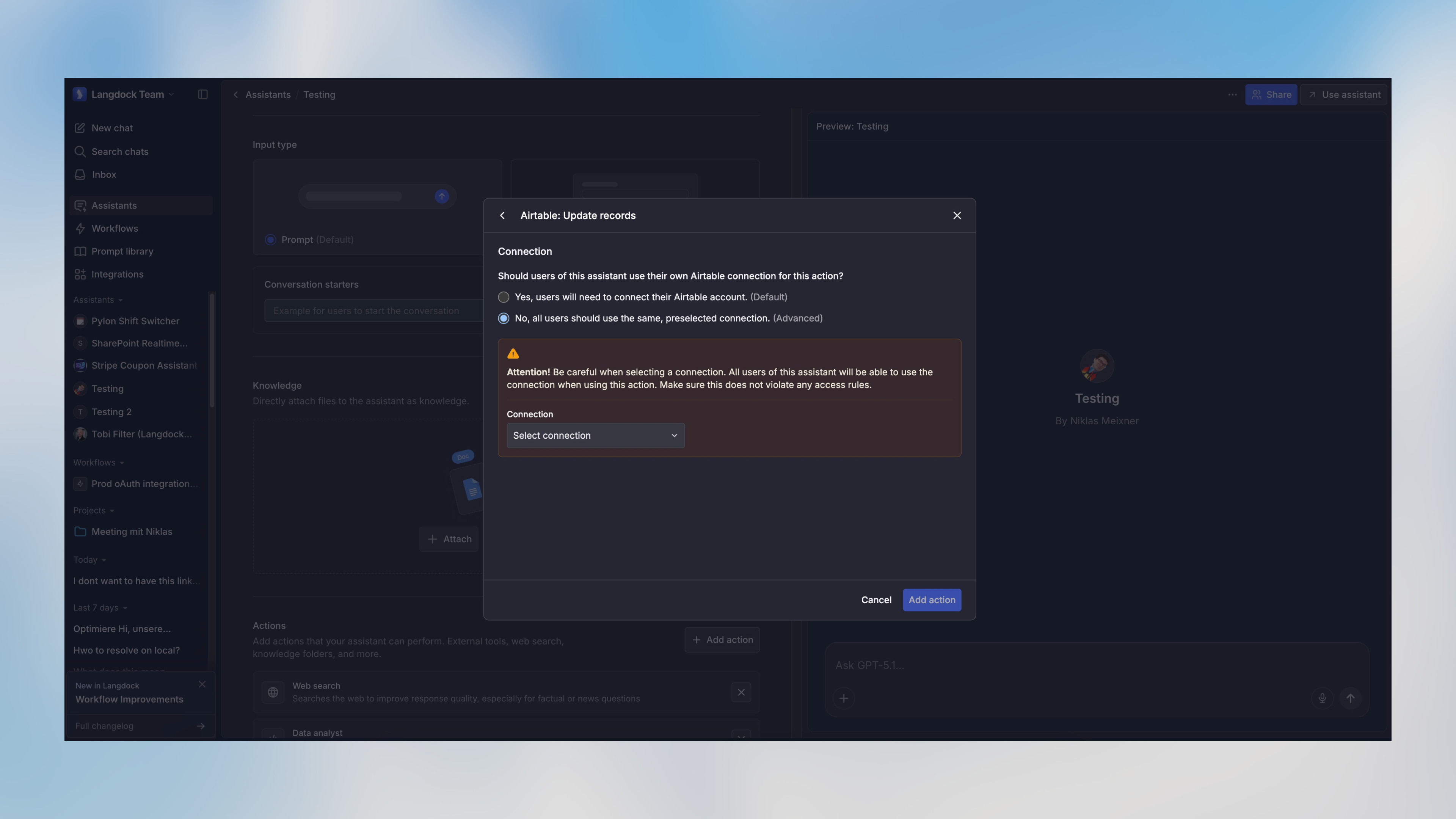
When an assistant has tools configured (called “Actions” in the Langdock UI), it will automatically use them to respond to API requests when appropriate. The connection must be set to “preselected connection” (shared with other users) for tool authentication to work.Structured Output
You can specify a structured output format using the optionaloutput parameter:
The
output parameter behavior depends on the specified type:
type: "object"with no schema: Forces the response to be a single JSON object (no specific structure)type: "object"with schema: Forces the response to match the provided JSON Schematype: "array"with schema: Forces the response to be an array of objects matching the provided schematype: "enum": Forces the response to be one of the values specified in theenumarray
You can use tools like easy-json-schema to generate JSON Schemas from example JSON objects.
Streaming Responses
Whenstream is set to true, the API will return a stream of server-sent events (SSE) instead of waiting for the complete response. This allows you to display responses to users progressively as they are generated.
Stream Format
Each event in the stream follows the SSE format with JSON data:Handling Streams in JavaScript
Obtaining Attachment IDs
To use attachments in your assistant conversations, you first need to upload the files using the Upload Attachment API. This will return anattachmentId for each file, which you can then include in the attachmentIds array in your assistant or message configuration.
Examples
Using an Existing Assistant
Using a temporary Assistant configuration
Using Structured Output with Schema
Using Structured Output with Object
Using Structured Output with Enum
Rate limits
The default limits are 500 RPM (requests per minute) and 60,000 TPM (tokens per minute).- RPM is enforced per workspace, model, and API key.
- TPM is shared by all API keys using the same model in a workspace.
- On dedicated deployments, admins can configure custom limits per model in Settings > Workspace > Products > API.
429 Too Many Requests response.
Response Format
The API returns an object containing:Standard Result
Theresult array contains the message exchange between user and assistant, including any tool calls that were made. This is always present in the response.
Structured Output
When the request includes anoutput parameter, the response will automatically include an output field containing the formatted structured data. The type of this field depends on the requested output format:
- If
output.typewas “object”: Returns a JSON object (with schema validation if schema was provided) - If
output.typewas “array”: Returns an array of objects matching the provided schema - If
output.typewas “enum”: Returns a string matching one of the provided enum values
The
output field is automatically populated with the formatted results based on the assistant’s response and your schema definition. You can use this directly in your application without parsing the full conversation in result.Error Handling
Migrating to Agents API
The new Agents API offers improved compatibility with modern AI SDKs, including native support for the Vercel AI SDK. The main difference is in the chat completions endpoint format. See the equivalent endpoint in the Agents API:- Agents Completions API - Uses Vercel AI SDK message format
Langdock intentionally blocks browser-origin requests to protect your API key and ensure your applications remain secure. For more information, please see our guide on API Key Best Practices.
Authorizations
API key as Bearer token. Format "Bearer YOUR_API_KEY"
Body
application/json
- Option 1
- Option 2
ID of an existing agent to use
Enable or disable streaming responses. When true, returns server-sent events. When false, returns complete JSON response.
Example:
true
Specification for structured output format. When type is object/array and no schema is provided, the response will be JSON but can have any structure. When the type is enum, you must provide an enum parameter with an array of strings as options.
- Option 1
- Option 2
- Option 3
Maximum number of steps the agent can take during the conversation
Required range:
1 <= x <= 20