Creates a chat completion with an agent (Vercel AI SDK compatible)
curl --request POST \
--url https://api.langdock.com/agent/v1/chat/completions \
--header 'Authorization: Bearer <token>' \
--header 'Content-Type: application/json' \
--data '
{
"agentId": "agent_123",
"messages": [
{
"id": "msg_1",
"role": "user",
"parts": [
{
"type": "text",
"text": "Hello, how can you help me?"
}
]
}
],
"stream": true
}
'import requests
url = "https://api.langdock.com/agent/v1/chat/completions"
payload = {
"agentId": "agent_123",
"messages": [
{
"id": "msg_1",
"role": "user",
"parts": [
{
"type": "text",
"text": "Hello, how can you help me?"
}
]
}
],
"stream": True
}
headers = {
"Authorization": "Bearer <token>",
"Content-Type": "application/json"
}
response = requests.post(url, json=payload, headers=headers)
print(response.text)const options = {
method: 'POST',
headers: {Authorization: 'Bearer <token>', 'Content-Type': 'application/json'},
body: JSON.stringify({
agentId: 'agent_123',
messages: [
{
id: 'msg_1',
role: 'user',
parts: [{type: 'text', text: 'Hello, how can you help me?'}]
}
],
stream: true
})
};
fetch('https://api.langdock.com/agent/v1/chat/completions', options)
.then(res => res.json())
.then(res => console.log(res))
.catch(err => console.error(err));<?php
$curl = curl_init();
curl_setopt_array($curl, [
CURLOPT_URL => "https://api.langdock.com/agent/v1/chat/completions",
CURLOPT_RETURNTRANSFER => true,
CURLOPT_ENCODING => "",
CURLOPT_MAXREDIRS => 10,
CURLOPT_TIMEOUT => 30,
CURLOPT_HTTP_VERSION => CURL_HTTP_VERSION_1_1,
CURLOPT_CUSTOMREQUEST => "POST",
CURLOPT_POSTFIELDS => json_encode([
'agentId' => 'agent_123',
'messages' => [
[
'id' => 'msg_1',
'role' => 'user',
'parts' => [
[
'type' => 'text',
'text' => 'Hello, how can you help me?'
]
]
]
],
'stream' => true
]),
CURLOPT_HTTPHEADER => [
"Authorization: Bearer <token>",
"Content-Type: application/json"
],
]);
$response = curl_exec($curl);
$err = curl_error($curl);
curl_close($curl);
if ($err) {
echo "cURL Error #:" . $err;
} else {
echo $response;
}package main
import (
"fmt"
"strings"
"net/http"
"io"
)
func main() {
url := "https://api.langdock.com/agent/v1/chat/completions"
payload := strings.NewReader("{\n \"agentId\": \"agent_123\",\n \"messages\": [\n {\n \"id\": \"msg_1\",\n \"role\": \"user\",\n \"parts\": [\n {\n \"type\": \"text\",\n \"text\": \"Hello, how can you help me?\"\n }\n ]\n }\n ],\n \"stream\": true\n}")
req, _ := http.NewRequest("POST", url, payload)
req.Header.Add("Authorization", "Bearer <token>")
req.Header.Add("Content-Type", "application/json")
res, _ := http.DefaultClient.Do(req)
defer res.Body.Close()
body, _ := io.ReadAll(res.Body)
fmt.Println(string(body))
}HttpResponse<String> response = Unirest.post("https://api.langdock.com/agent/v1/chat/completions")
.header("Authorization", "Bearer <token>")
.header("Content-Type", "application/json")
.body("{\n \"agentId\": \"agent_123\",\n \"messages\": [\n {\n \"id\": \"msg_1\",\n \"role\": \"user\",\n \"parts\": [\n {\n \"type\": \"text\",\n \"text\": \"Hello, how can you help me?\"\n }\n ]\n }\n ],\n \"stream\": true\n}")
.asString();require 'uri'
require 'net/http'
url = URI("https://api.langdock.com/agent/v1/chat/completions")
http = Net::HTTP.new(url.host, url.port)
http.use_ssl = true
request = Net::HTTP::Post.new(url)
request["Authorization"] = 'Bearer <token>'
request["Content-Type"] = 'application/json'
request.body = "{\n \"agentId\": \"agent_123\",\n \"messages\": [\n {\n \"id\": \"msg_1\",\n \"role\": \"user\",\n \"parts\": [\n {\n \"type\": \"text\",\n \"text\": \"Hello, how can you help me?\"\n }\n ]\n }\n ],\n \"stream\": true\n}"
response = http.request(request)
puts response.read_body{
"id": "<string>",
"role": "assistant",
"parts": [
{}
],
"output": "<unknown>"
}Agents API
Agents Completions API
Erstellt eine Modellantwort für einen bestimmten Agenten im Vercel AI SDK kompatiblen Format.
POST
/
agent
/
v1
/
chat
/
completions
Creates a chat completion with an agent (Vercel AI SDK compatible)
curl --request POST \
--url https://api.langdock.com/agent/v1/chat/completions \
--header 'Authorization: Bearer <token>' \
--header 'Content-Type: application/json' \
--data '
{
"agentId": "agent_123",
"messages": [
{
"id": "msg_1",
"role": "user",
"parts": [
{
"type": "text",
"text": "Hello, how can you help me?"
}
]
}
],
"stream": true
}
'import requests
url = "https://api.langdock.com/agent/v1/chat/completions"
payload = {
"agentId": "agent_123",
"messages": [
{
"id": "msg_1",
"role": "user",
"parts": [
{
"type": "text",
"text": "Hello, how can you help me?"
}
]
}
],
"stream": True
}
headers = {
"Authorization": "Bearer <token>",
"Content-Type": "application/json"
}
response = requests.post(url, json=payload, headers=headers)
print(response.text)const options = {
method: 'POST',
headers: {Authorization: 'Bearer <token>', 'Content-Type': 'application/json'},
body: JSON.stringify({
agentId: 'agent_123',
messages: [
{
id: 'msg_1',
role: 'user',
parts: [{type: 'text', text: 'Hello, how can you help me?'}]
}
],
stream: true
})
};
fetch('https://api.langdock.com/agent/v1/chat/completions', options)
.then(res => res.json())
.then(res => console.log(res))
.catch(err => console.error(err));<?php
$curl = curl_init();
curl_setopt_array($curl, [
CURLOPT_URL => "https://api.langdock.com/agent/v1/chat/completions",
CURLOPT_RETURNTRANSFER => true,
CURLOPT_ENCODING => "",
CURLOPT_MAXREDIRS => 10,
CURLOPT_TIMEOUT => 30,
CURLOPT_HTTP_VERSION => CURL_HTTP_VERSION_1_1,
CURLOPT_CUSTOMREQUEST => "POST",
CURLOPT_POSTFIELDS => json_encode([
'agentId' => 'agent_123',
'messages' => [
[
'id' => 'msg_1',
'role' => 'user',
'parts' => [
[
'type' => 'text',
'text' => 'Hello, how can you help me?'
]
]
]
],
'stream' => true
]),
CURLOPT_HTTPHEADER => [
"Authorization: Bearer <token>",
"Content-Type: application/json"
],
]);
$response = curl_exec($curl);
$err = curl_error($curl);
curl_close($curl);
if ($err) {
echo "cURL Error #:" . $err;
} else {
echo $response;
}package main
import (
"fmt"
"strings"
"net/http"
"io"
)
func main() {
url := "https://api.langdock.com/agent/v1/chat/completions"
payload := strings.NewReader("{\n \"agentId\": \"agent_123\",\n \"messages\": [\n {\n \"id\": \"msg_1\",\n \"role\": \"user\",\n \"parts\": [\n {\n \"type\": \"text\",\n \"text\": \"Hello, how can you help me?\"\n }\n ]\n }\n ],\n \"stream\": true\n}")
req, _ := http.NewRequest("POST", url, payload)
req.Header.Add("Authorization", "Bearer <token>")
req.Header.Add("Content-Type", "application/json")
res, _ := http.DefaultClient.Do(req)
defer res.Body.Close()
body, _ := io.ReadAll(res.Body)
fmt.Println(string(body))
}HttpResponse<String> response = Unirest.post("https://api.langdock.com/agent/v1/chat/completions")
.header("Authorization", "Bearer <token>")
.header("Content-Type", "application/json")
.body("{\n \"agentId\": \"agent_123\",\n \"messages\": [\n {\n \"id\": \"msg_1\",\n \"role\": \"user\",\n \"parts\": [\n {\n \"type\": \"text\",\n \"text\": \"Hello, how can you help me?\"\n }\n ]\n }\n ],\n \"stream\": true\n}")
.asString();require 'uri'
require 'net/http'
url = URI("https://api.langdock.com/agent/v1/chat/completions")
http = Net::HTTP.new(url.host, url.port)
http.use_ssl = true
request = Net::HTTP::Post.new(url)
request["Authorization"] = 'Bearer <token>'
request["Content-Type"] = 'application/json'
request.body = "{\n \"agentId\": \"agent_123\",\n \"messages\": [\n {\n \"id\": \"msg_1\",\n \"role\": \"user\",\n \"parts\": [\n {\n \"type\": \"text\",\n \"text\": \"Hello, how can you help me?\"\n }\n ]\n }\n ],\n \"stream\": true\n}"
response = http.request(request)
puts response.read_body{
"id": "<string>",
"role": "assistant",
"parts": [
{}
],
"output": "<unknown>"
}Erstellt eine Modellantwort für eine bestimmte Agenten-ID oder übergibt eine Agentenkonfiguration, die für deine Anfrage verwendet werden soll. Dieser Endpoint verwendet das Vercel AI SDK kompatible Nachrichtenformat für eine nahtlose Integration mit modernen AI-Anwendungen.
Agent-Nachrichtenteile (in Antworten zurückgegeben — füge sie in den Gesprächsverlauf ein, wenn du Folgenachrichten sendest):

Das Verhalten des
Häufige Fehler-Statuscodes:
Bevor du startest
- Agenten-Zugriff: Um einen Agenten mit einem API-Schlüssel zu teilen, folge dieser Anleitung.
- Vercel AI SDK kompatibel: Dieser Endpoint verwendet das UIMessage-Format des Vercel AI SDK und ist damit kompatibel mit dem
useChatHook und anderen Vercel AI SDK Features. - MCP: Du kannst auch über den Langdock MCP Server auf deine Agenten zugreifen, sodass MCP-kompatible KI-Clients deine Agenten direkt aufrufen können.
Basis-URL
https://api.langdock.com/agent/v1/chat/completions
Dedicated DeploymentsErsetze
api.langdock.com durch <your-deployment-url>/api/public in allen Anfragen.Parameter
| Parameter | Typ | Erforderlich | Beschreibung |
|---|---|---|---|
agentId | string | Eines von agentId/agent erforderlich | ID eines vorhandenen Agenten |
agent | object | Eines von agentId/agent erforderlich | Konfiguration für einen temporären Agenten |
messages | array | Ja | Array von UIMessage-Objekten (Vercel AI SDK Format) |
stream | boolean | Nein | Streaming-Antworten aktivieren (Standard: false) |
output | object | Nein | Spezifikation für strukturiertes Ausgabeformat |
maxSteps | integer | Nein | Maximale Anzahl von Tool-Schritten (1-20) |
imageResponseFormat | string | Nein | Antwortformat für vom Agenten generierte Bilder. "url" gibt eine signierte URL zurück, "b64_json" gibt base64-kodierte Bilddaten zurück. |
Nachrichtenformat (Vercel AI SDK UIMessage)
Die Agents API verwendet das Vercel AI SDK UIMessage-Format für maximale Kompatibilität mit modernen AI-Frameworks.UIMessage-Struktur
Jede Nachricht immessages Array sollte enthalten:
interface UIMessage {
id: string; // Eindeutige Kennung für diese Nachricht
role: 'system' | 'user' | 'assistant';
parts: MessagePart[]; // Array von Nachrichtenteilen
metadata?: { // Optionale Metadaten
attachments?: string[]; // Array von Attachment-UUIDs
};
}
Nachrichtenteil-Typen
User-Nachrichtenteile (zum Senden):| Typ | Felder | Beschreibung |
|---|---|---|
text | type: "text", text: string | Klartext-Inhalt |
file | type: "file", mediaType: string, url: string, filename?: string | Inline-Dateireferenz |
| Typ | Wichtige Felder | Beschreibung |
|---|---|---|
text | type: "text", text: string | Textantwort |
reasoning | type: "reasoning", text: string | Modell-Reasoning / Chain-of-Thought |
tool-{name} | type: "tool-{name}", toolCallId: string, state: "input-streaming" | "input-available" | "output-available" | "output-error", input?: any, output?: any, errorText?: string | Tool-Aufruf und Ergebnis |
source-url | type: "source-url", sourceId: string, url: string, title?: string | Web-Quellenreferenz |
source-document | type: "source-document", sourceId: string, mediaType: string, title: string, filename?: string | Dokumenten-Quellenreferenz |
Beispielnachrichten
User-Nachricht mit Text
{
id: "msg_1",
role: "user",
parts: [
{
type: "text",
text: "Hallo, wie geht es dir?"
}
]
}
User-Nachricht mit Attachment
{
id: "msg_2",
role: "user",
parts: [
{
type: "text",
text: "Bitte analysiere dieses Dokument"
}
],
metadata: {
attachments: ["550e8400-e29b-41d4-a716-446655440000"]
}
}
Um Dateien an eine Nachricht anzuhängen, lade sie über die Upload Attachment API hoch und referenziere die zurückgegebenen UUIDs im
metadata.attachments Array der Nachricht. Verwende keine type: "file" Parts für hochgeladene Attachments — dieses Format ist für Inline-Dateireferenzen reserviert (z.B. Data URIs).Agent-Nachricht mit Tool-Aufruf
{
id: "msg_3",
role: "assistant",
parts: [
{
type: "tool-webSearch",
toolCallId: "call_123",
state: "output-available",
input: {
query: "latest news"
},
output: { /* Suchergebnisse */ }
}
]
}
Agentenkonfiguration
Bei der Erstellung eines temporären Agenten mit demagent Parameter kannst du Folgendes angeben:
name- Name des Agenten (max. 64 Zeichen)instructions- Systemanweisungen (max. 16384 Zeichen)description- Optionale Beschreibung (max. 256 Zeichen)temperature- Temperatur zwischen 0-1model- Zu verwendende Modell-ID (siehe Verfügbare Modelle für Optionen)capabilities- Aktivieren von Funktionen wie Websuche, Dateien erstellen & bearbeiten, Bilderzeugung, CanvasknowledgeFolderIds- IDs der zu verwendenden WissensdatenbankenattachmentIds- Array von UUID-Strings zur Identifizierung zu verwendender Anhänge
Hinweise zur Konfiguration
- Verfügbare Modelle: Du kannst eine Liste verfügbarer Modelle mit der Models API abrufen.
- Feldnamen: Die Feldnamen der Inline-Agentenkonfiguration unterscheiden sich von den Create und Update Agent APIs. Dieser Endpoint verwendet
instructions(Plural) undtemperature, während die CRUD-Endpointsinstruction(Singular) undcreativityverwenden. Der Completions-Endpoint akzeptiert auch ein verschachteltescapabilitiesObjekt, während die CRUD-Endpoints flache Boolean-Felder verwenden. attachmentIdsderzeit nicht funktionsfähig: Der Agent kann Dateien, die überattachmentIdsin der Inline-Agentenkonfiguration referenziert werden, nicht lesen. Verwende stattdessenmetadata.attachmentsbei einzelnen Nachrichten, um hochgeladene Dateien pro Nachricht zu referenzieren, oder erstelle einen persistenten Agenten mit demattachmentsFeld über die Create Agent API.
Tools über die API verwenden
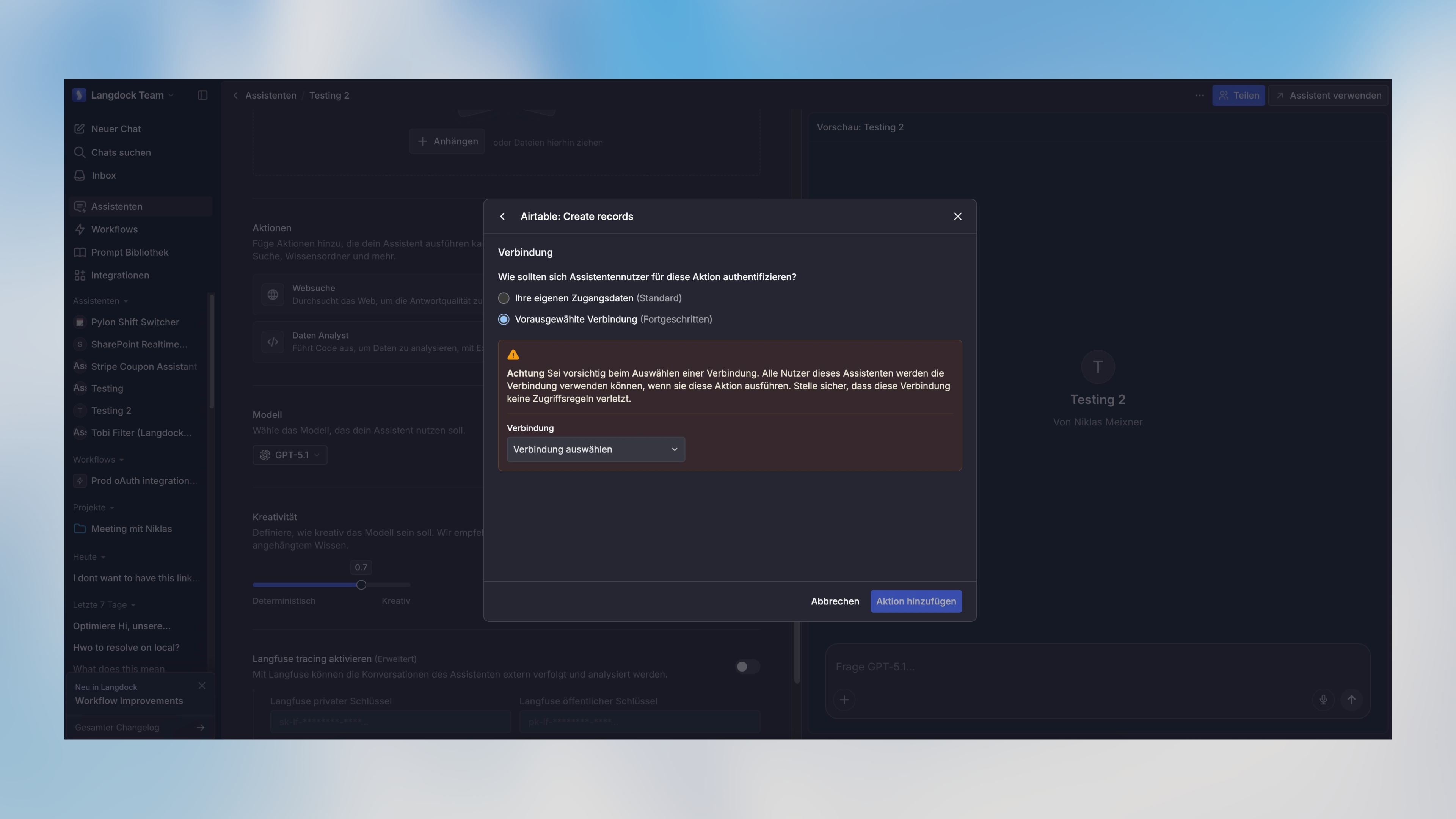
Wenn ein Agent Tools konfiguriert hat (in der Langdock-Oberfläche „Actions” genannt), wird er diese automatisch bei API-Anfragen verwenden, wenn es passend ist. Tools authentifizieren sich über eine vorausgewählte Verbindung am Agenten oder über eine Verbindung, die mit dem API-Key geteilt ist.Ein Workspace-API-Key läuft als Service Account. Tools brauchen eine vorausgewählte Verbindung oder eine Verbindung, die mit diesem Key geteilt ist.

Tools mit aktivierter Option „Menschliche Bestätigung erforderlich” funktionieren nicht über die API — sie erfordern eine manuelle Genehmigung in der Langdock-Oberfläche. Um ein Tool über die API zu nutzen, deaktiviere diese Einstellung in der Agentenkonfiguration.
Strukturierte Ausgabe
Du kannst ein strukturiertes Ausgabeformat mit dem optionalenoutput Parameter angeben:
| Feld | Typ | Beschreibung |
|---|---|---|
type | ”object” | “array” | “enum” | Der Typ der strukturierten Ausgabe |
schema | object | JSON-Schema-Definition für die Ausgabe (für object/array-Typen) |
enum | string[] | Array erlaubter Werte (für enum-Typ) |
output Parameters hängt vom angegebenen Typ ab:
type: "object"ohne Schema: Erzwingt, dass die Antwort ein einzelnes JSON-Objekt ist (keine spezifische Struktur)type: "object"mit Schema: Erzwingt, dass die Antwort dem bereitgestellten JSON-Schema entsprichttype: "array"mit Schema: Erzwingt, dass die Antwort ein Array von Objekten ist, die dem bereitgestellten Schema entsprechentype: "enum": Erzwingt, dass die Antwort einer der imenumArray angegebenen Werte ist
Du kannst Tools wie easy-json-schema verwenden, um JSON-Schemas aus Beispiel-JSON-Objekten zu generieren.
Streaming-Antworten
Wennstream auf true gesetzt ist, gibt die API einen Stream im Vercel AI SDK Streaming-Format zurück, kompatibel mit dem useChat Hook und anderen Vercel AI SDK Features.
Anfragen ohne Streaming werden nach 100 Sekunden mit einem HTTP 524 Fehler beendet. Wenn dein Agent Tools ausführt, lange Antworten generiert oder langsamere Modelle verwendet, kann die Anfrage dieses Limit überschreiten. Setze
stream: true, um die Verbindung offen zu halten und Timeouts zu vermeiden.Verwendung mit dem Vercel AI SDK useChat Hook
'use client';
import { useChat } from '@ai-sdk/react';
export default function Chat() {
const { messages, input, handleInputChange, handleSubmit } = useChat({
api: 'https://api.langdock.com/agent/v1/chat/completions',
headers: {
'Authorization': `Bearer ${process.env.NEXT_PUBLIC_LANGDOCK_API_KEY}`
},
body: {
agentId: 'your-agent-id'
}
});
return (
<div>
{messages.map(m => (
<div key={m.id}>
{m.role === 'user' ? 'User: ' : 'AI: '}
{m.content}
</div>
))}
<form onSubmit={handleSubmit}>
<input
value={input}
placeholder="Schreib etwas..."
onChange={handleInputChange}
/>
</form>
</div>
);
}
Manuelle Stream-Verarbeitung
const response = await fetch('https://api.langdock.com/agent/v1/chat/completions', {
method: 'POST',
headers: {
'Authorization': 'Bearer YOUR_API_KEY',
'Content-Type': 'application/json',
},
body: JSON.stringify({
agentId: 'agent_123',
messages: [
{
id: 'msg_1',
role: 'user',
parts: [{ type: 'text', text: 'Hallo' }]
}
],
stream: true
}),
});
const reader = response.body.getReader();
const decoder = new TextDecoder();
while (true) {
const { done, value } = await reader.read();
if (done) break;
const chunk = decoder.decode(value);
console.log(chunk); // Streaming-Chunks verarbeiten
}
Abrufen von Attachment-IDs
Um Attachments in deinen Agentengesprächen zu verwenden, lade zuerst die Dateien mit der Upload Attachment API hoch. Dies gibt eineattachmentId (UUID) für jede Datei zurück. Du kannst Attachments dann auf zwei Arten verwenden:
- Pro Nachricht (empfohlen): Füge die Attachment-UUIDs in das
metadata.attachmentsArray der Nachricht ein. So kannst du verschiedene Dateien in verschiedenen Nachrichten innerhalb desselben Gesprächs referenzieren. - Agent-Ebene: Füge die UUIDs in das
attachmentsArray ein, wenn du einen persistenten Agenten erstellst oder aktualisierst. Alle Nachrichten an diesen Agenten haben dann Zugriff auf diese Dateien.
Antwortformat
Die API gibt ein JSON-Objekt mit einemmessages Array zurück, das die Antwort des Agenten enthält:
interface CompletionResponse {
messages: Array<{
id: string;
role: "assistant";
content: string;
}>;
// Strukturierte Ausgabe - enthalten wenn angefordert
output?: object | array | string;
}
Standard-Antwort
Die Antwort enthält einmessages Array. Jede Nachricht hat:
id- Eindeutige Kennung für die Nachrichtrole- Immer"assistant"für Completion-Antwortencontent- Die Textantwort des Agenten als einfacher String
Strukturierte Ausgabe
Wenn die Anfrage einenoutput Parameter enthält, wird die Antwort automatisch ein output Feld mit den formatierten strukturierten Daten enthalten. Der Typ dieses Feldes hängt vom angeforderten Ausgabeformat ab:
- Wenn
output.type“object” war: Gibt ein JSON-Objekt zurück (mit Schema-Validierung, falls ein Schema bereitgestellt wurde) - Wenn
output.type“array” war: Gibt ein Array von Objekten zurück, die dem bereitgestellten Schema entsprechen - Wenn
output.type“enum” war: Gibt einen String zurück, der einem der bereitgestellten Enum-Werte entspricht
Beispiele
Verwendung eines vorhandenen Agenten mit Attachment
const response = await fetch(
"https://api.langdock.com/agent/v1/chat/completions",
{
method: "POST",
headers: {
"Authorization": "Bearer YOUR_API_KEY",
"Content-Type": "application/json"
},
body: JSON.stringify({
agentId: "agent_123",
messages: [
{
id: "msg_1",
role: "user",
parts: [
{
type: "text",
text: "Kannst du dieses Dokument für mich analysieren?"
}
],
metadata: {
attachments: ["550e8400-e29b-41d4-a716-446655440000"]
}
}
]
})
}
);
const data = await response.json();
const responseText = data.messages[0].content;
console.log(responseText);
Verwendung einer temporären Agentenkonfiguration
const response = await fetch(
"https://api.langdock.com/agent/v1/chat/completions",
{
method: "POST",
headers: {
"Authorization": "Bearer YOUR_API_KEY",
"Content-Type": "application/json"
},
body: JSON.stringify({
agent: {
name: "Document Analyzer",
instructions: "You are a helpful agent who analyzes documents and answers questions about them",
temperature: 0.7,
model: "gpt-5",
capabilities: {
webSearch: true
}
},
messages: [
{
id: "msg_1",
role: "user",
parts: [
{
type: "text",
text: "Was sind die wichtigsten Punkte im Dokument?"
}
]
}
]
})
}
);
const data = await response.json();
console.log(data);
Verwendung von strukturierter Ausgabe mit Schema
const response = await fetch(
"https://api.langdock.com/agent/v1/chat/completions",
{
method: "POST",
headers: {
"Authorization": "Bearer YOUR_API_KEY",
"Content-Type": "application/json"
},
body: JSON.stringify({
agent: {
name: "Weather Agent",
instructions: "You are a helpful weather agent",
model: "gpt-5",
capabilities: {
webSearch: true
}
},
messages: [
{
id: "msg_1",
role: "user",
parts: [
{
type: "text",
text: "Wie ist das Wetter heute in Paris, Berlin und London?"
}
]
}
],
output: {
type: "array",
schema: {
type: "object",
properties: {
weather: {
type: "object",
properties: {
city: { type: "string" },
tempInCelsius: { type: "number" },
tempInFahrenheit: { type: "number" }
},
required: ["city", "tempInCelsius", "tempInFahrenheit"]
}
}
}
}
})
}
);
const data = await response.json();
console.log(data.output);
// Output:
// [
// { "weather": { "city": "Paris", "tempInCelsius": 1, "tempInFahrenheit": 33 } },
// { "weather": { "city": "Berlin", "tempInCelsius": 1, "tempInFahrenheit": 35 } },
// { "weather": { "city": "London", "tempInCelsius": 7, "tempInFahrenheit": 45 } }
// ]
Verwendung mit Next.js Server Actions
// app/actions.ts
'use server';
import { generateId } from 'ai';
export async function chatWithAgent(message: string) {
const response = await fetch(
'https://api.langdock.com/agent/v1/chat/completions',
{
method: 'POST',
headers: {
'Authorization': `Bearer ${process.env.LANGDOCK_API_KEY}`,
'Content-Type': 'application/json'
},
body: JSON.stringify({
agentId: process.env.AGENT_ID,
messages: [
{
id: generateId(),
role: 'user',
parts: [
{
type: 'text',
text: message
}
]
}
]
})
}
);
const data = await response.json();
return data.messages[0].content;
}
Rate Limits
Die Standard-Limits sind 500 RPM (Anfragen pro Minute) und 150.000 TPM (Tokens pro Minute).- RPM wird je Workspace, Modell und API-Key begrenzt.
- TPM teilen sich alle API-Keys, die dasselbe Modell in einem Workspace verwenden.
- In Dedicated Deployments können Admins unter Einstellungen > Workspace > Produkte > API eigene Limits je Modell festlegen.
429 Too Many Requests Antwort.
Fehlerbehandlung
try {
const response = await fetch('https://api.langdock.com/agent/v1/chat/completions', options);
if (!response.ok) {
const error = await response.json();
throw new Error(error.message || 'Request failed');
}
const data = await response.json();
// Antwort verarbeiten
} catch (error) {
console.error('Error:', error.message);
}
400- Ungültige Anfrageparameter, fehlerhaftes Nachrichtenformat, Agent nicht gefunden oder Agent nicht mit API-Schlüssel geteilt401- Ungültiger oder fehlender API-Schlüssel429- Rate Limit überschritten500- Serverfehler
Langdock blockiert bewusst Browser-basierte Anfragen, um deinen API-Schlüssel zu schützen und die Sicherheit deiner Anwendungen zu gewährleisten. Weitere Informationen findest du in unserem Guide zu Best Practices für API-Schlüssel.
Autorisierungen
API key as Bearer token. Format "Bearer YOUR_API_KEY"
Body
application/json
ID of an existing agent to use
Array of UIMessage objects (Vercel AI SDK format)
Show child attributes
Specification for structured output format. When type is object/array and no schema is provided, the response will be JSON but can have any structure. When the type is enum, you must provide an enum parameter with an array of strings as options.
- Option 1
- Option 2
- Option 3
Show child attributes
Response format for images generated by the agent. "url" returns a signed URL, "b64_json" returns base64-encoded image data.
Verfügbare Optionen:
url, b64_json War diese Seite hilfreich?