

Before You Start
- API key: An admin needs to create the API key and share the agent with it. If you’re not an admin, invite one as an editor to your agent using the “Share” button.
- Agents API: This is the Agents API with native Vercel AI SDK compatibility.
How to create an API key
-
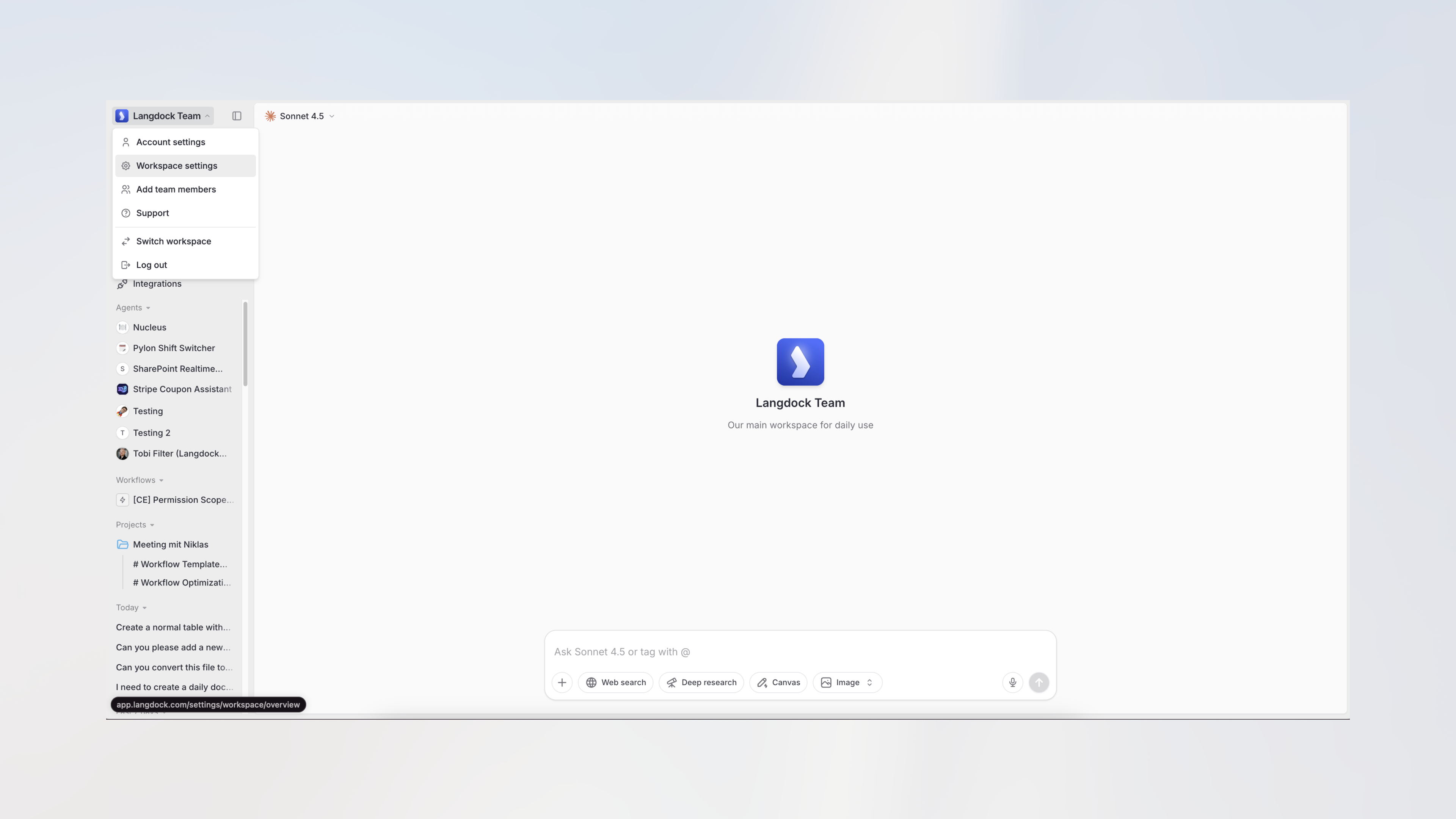
Navigate to Langdock and open the workspace settings from the dropdown menu.
-
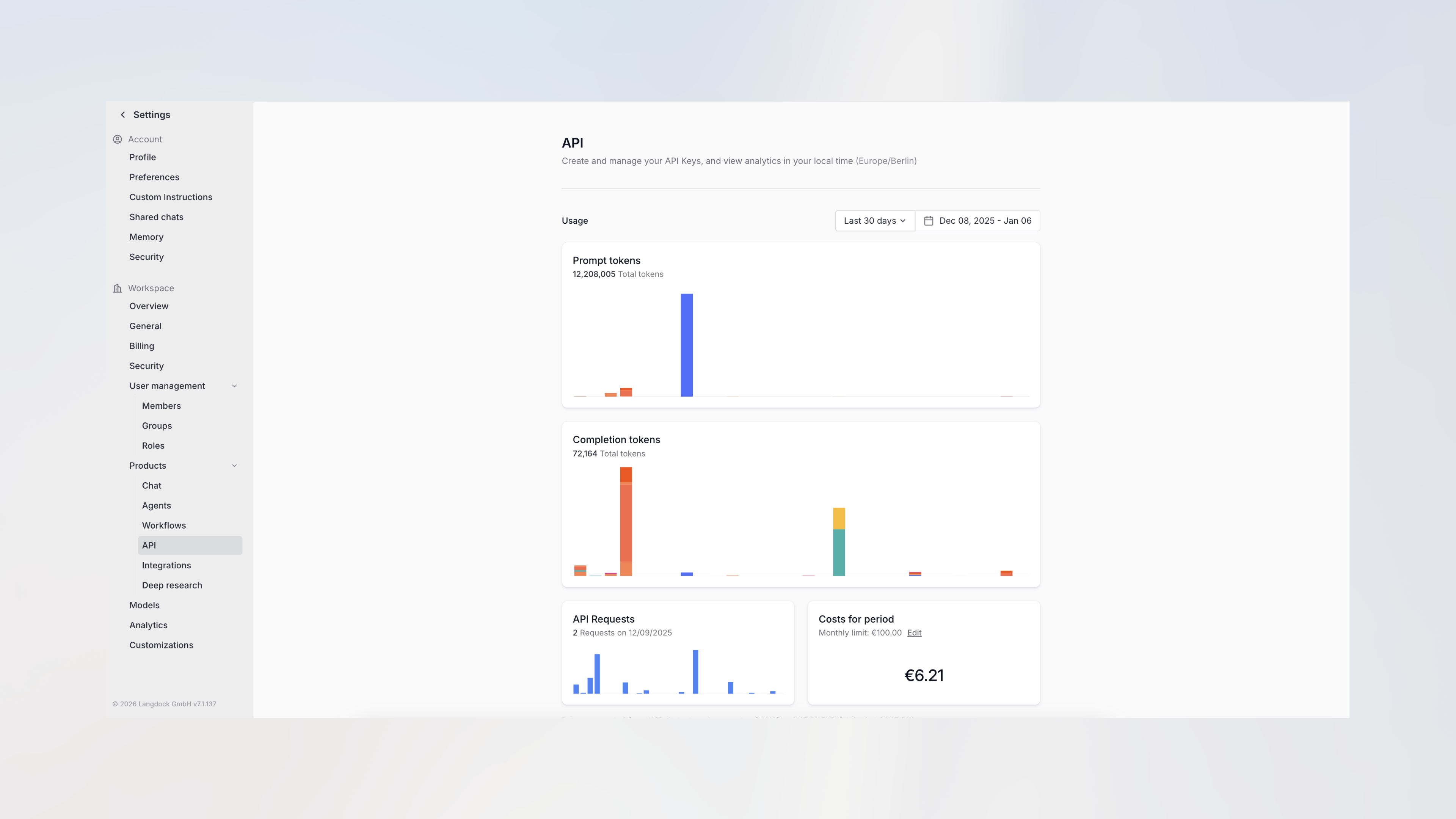
Click on API under Products in the sidebar.
-
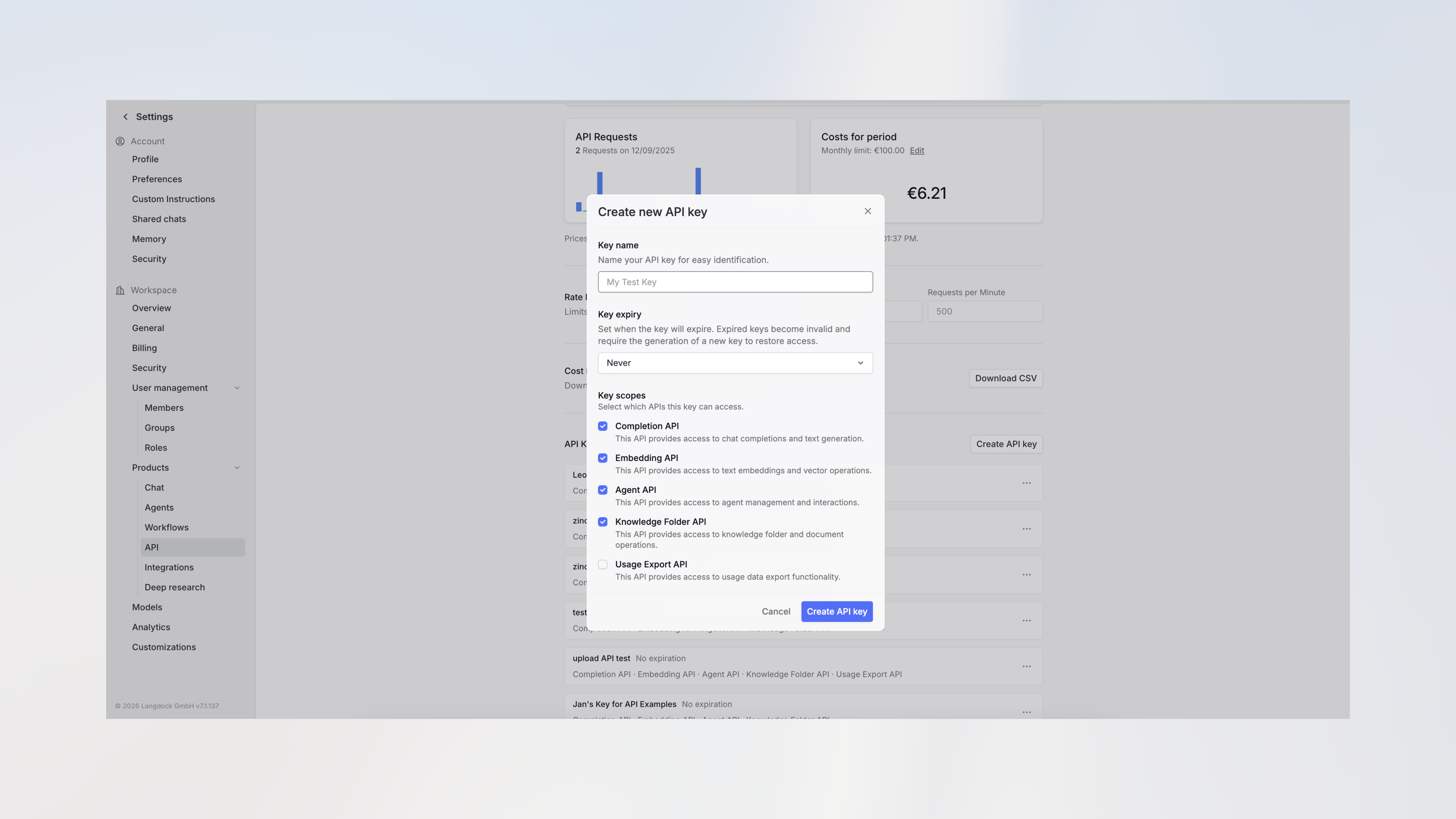
Click Create API key, enter a name, select the required scopes (at minimum “Assistant API”), and confirm.
-
Copy your API key and store it securely. You won’t be able to view it again.
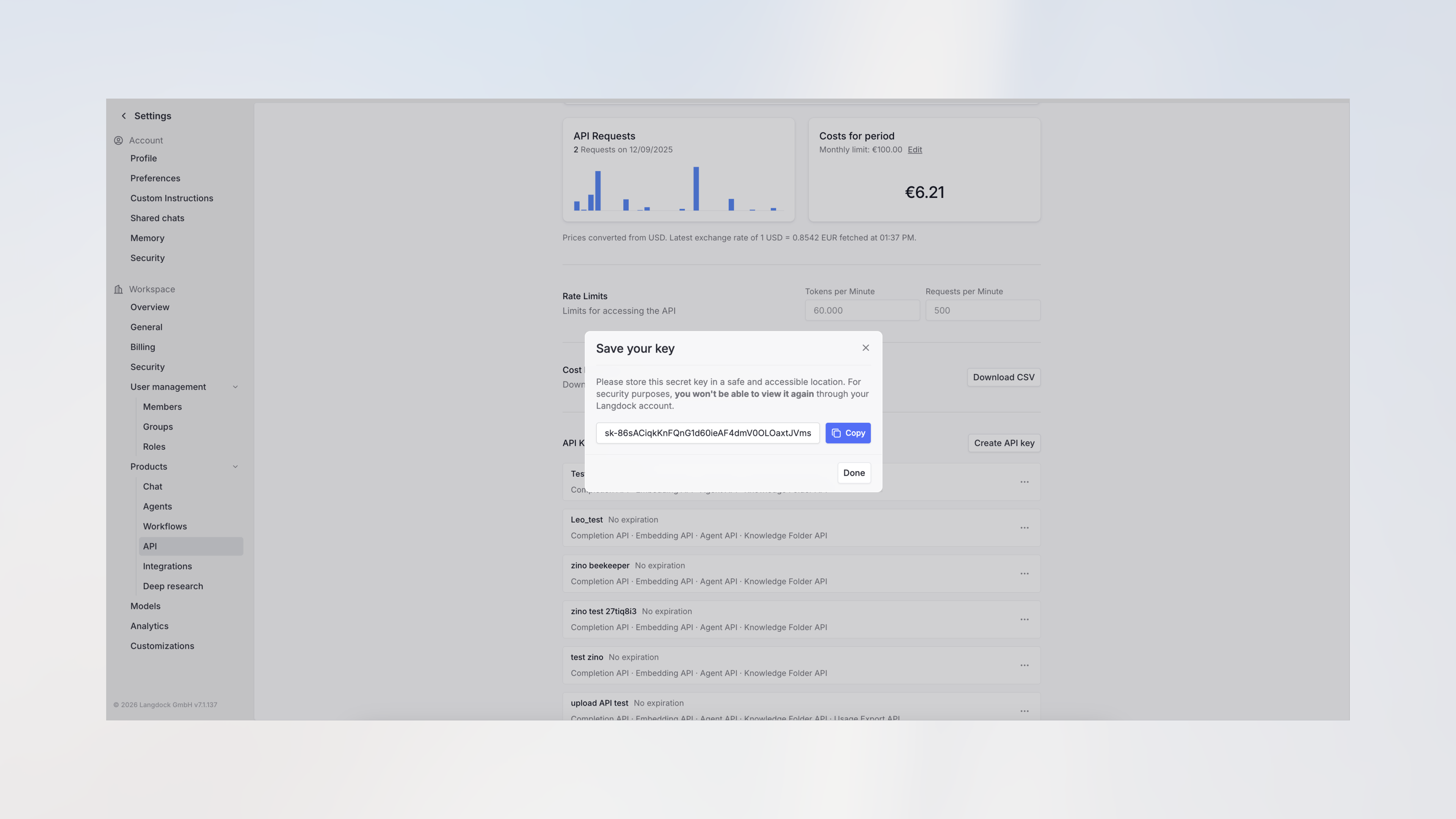
A workspace API key runs as a service account. When you use it with an agent, tools use a preselected connection or a connection shared with that key, not the creator’s personal connections.
How to share an agent with the API key
-
Navigate to Agents in the sidebar.
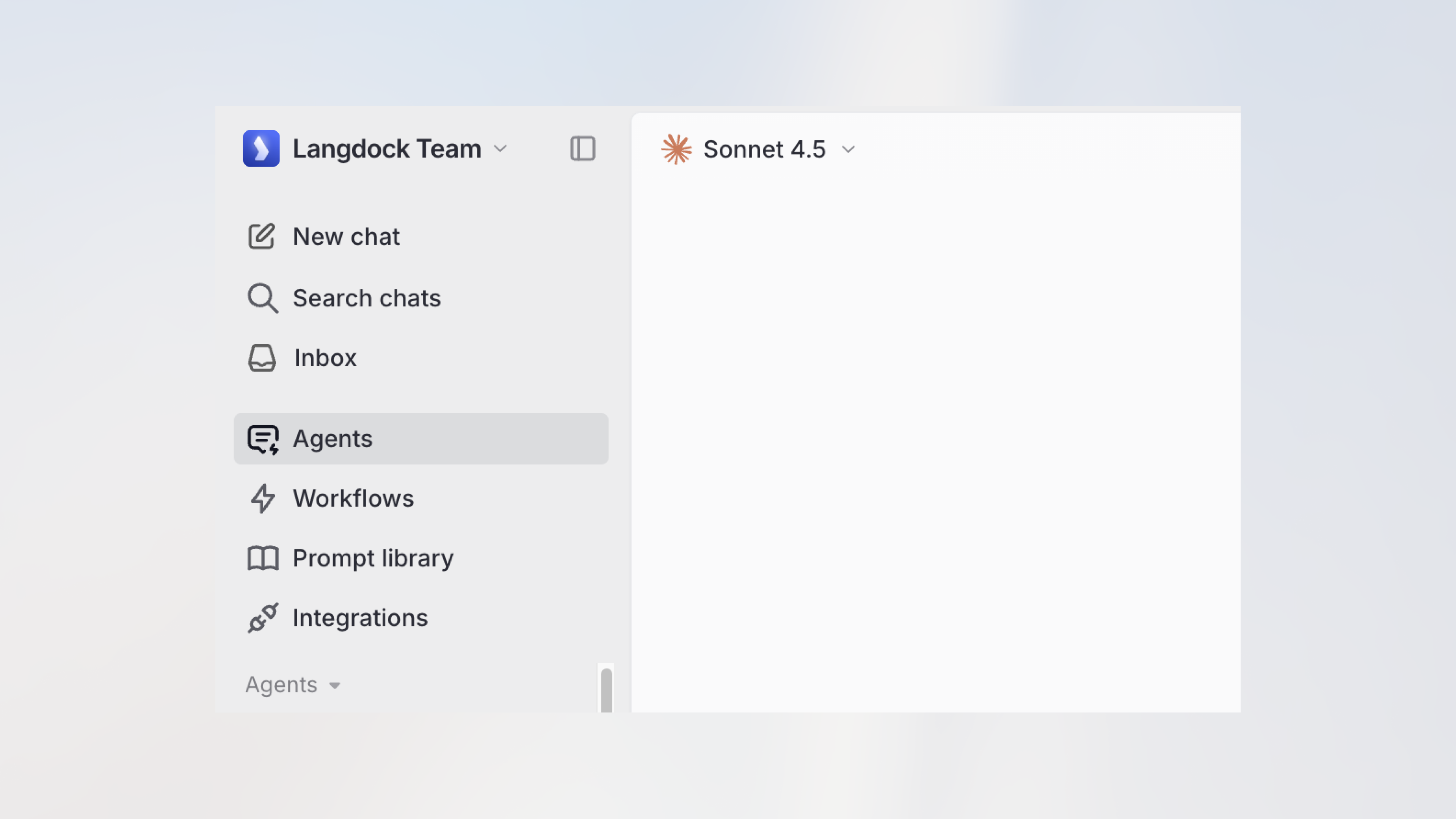
- Create a new agent or select an existing one. For a new agent, the Agent Builder chat opens. Describe the agent in natural language or click Go to editor to configure it manually in the agent editor.
-
In the agent editor, click the Share button in the top right corner.
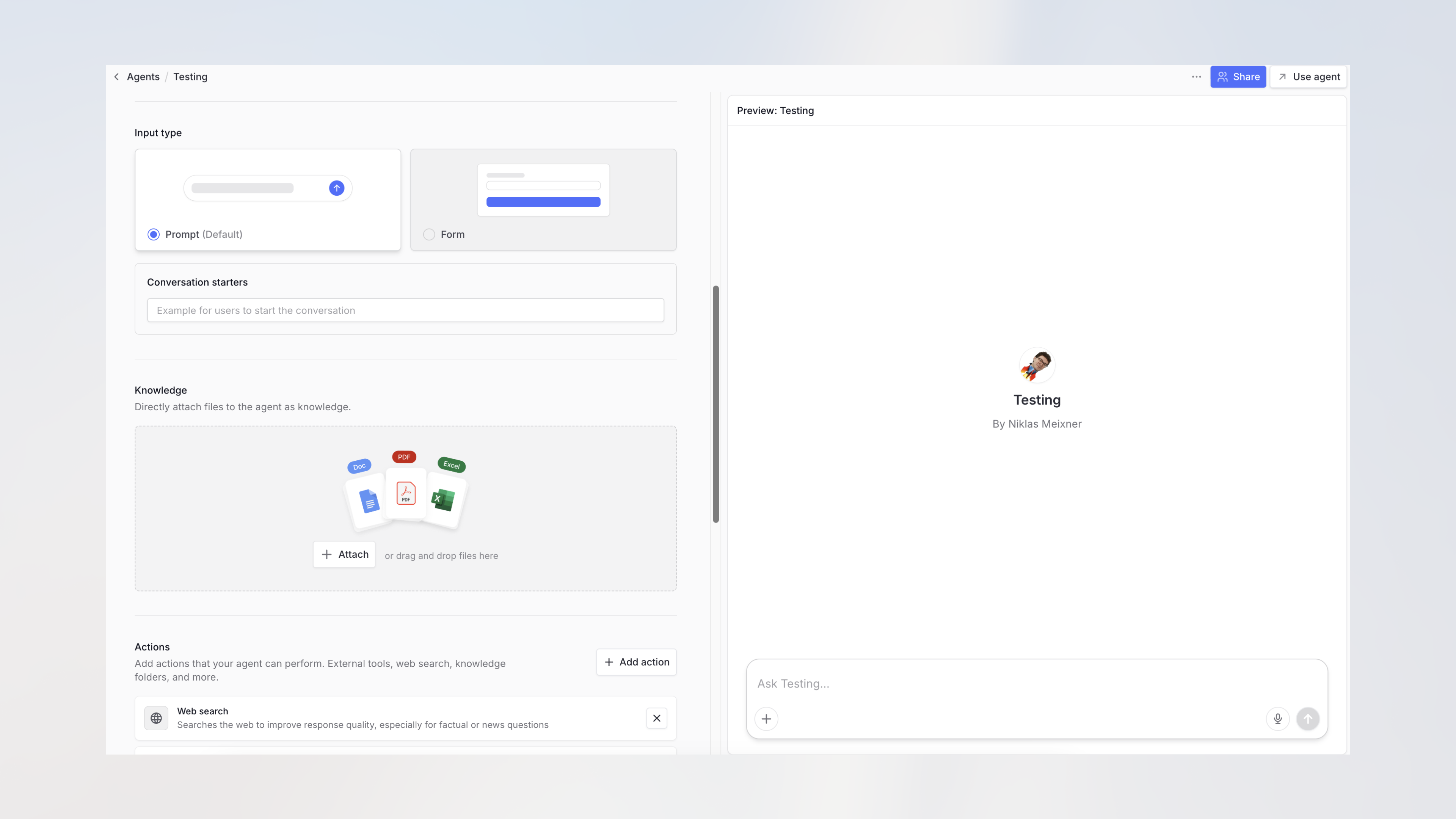
-
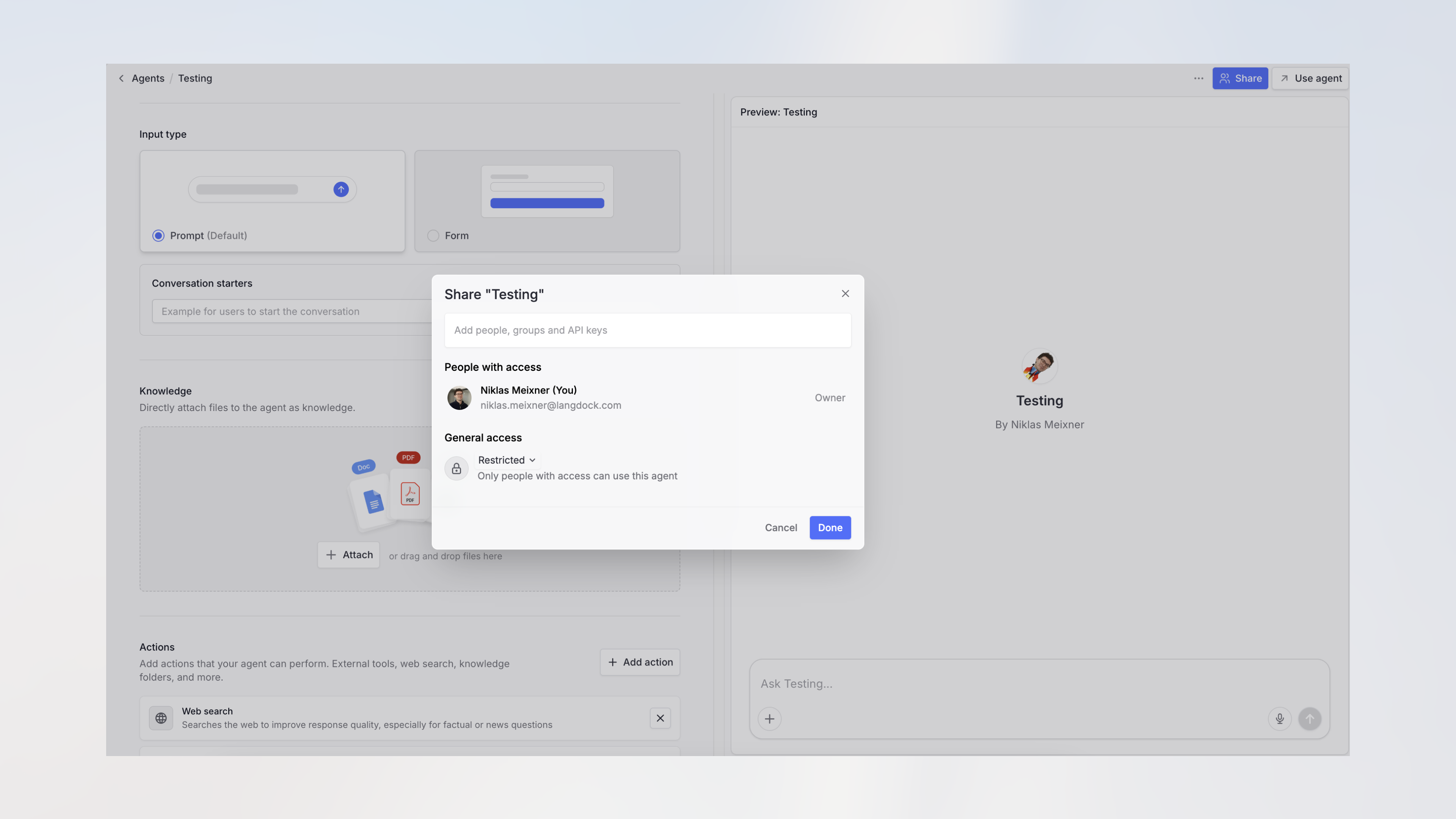
The share dialog opens showing current access settings.
-
Search for your API key by name and add it to share the agent with the API.
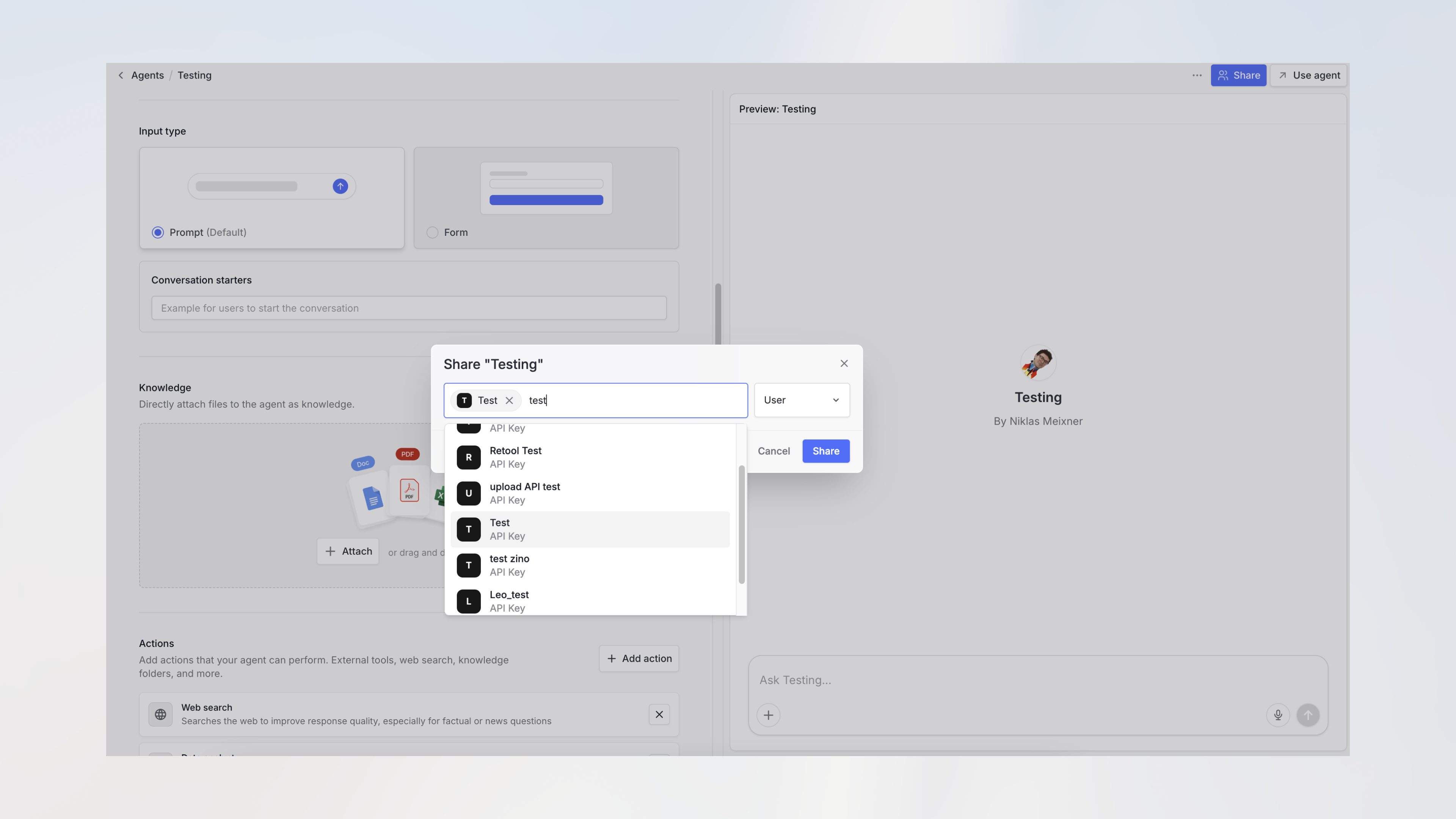
Only admins can connect an agent with an API key. If you don’t see API keys in the share menu, ask an admin to perform this step.
If the agent you’re sharing has subagents attached, share each subagent with the API key as well. Subagents that aren’t shared with the key return an access denied message when the agent calls them via the API.
Testing the API connection
Once shared, you can test your agent via the Agent API documentation. Use your API key and the agent ID from the URL (https://app.langdock.com/agents/AGENT_ID/edit).
Langdock blocks browser-origin requests to protect your API key. For more information, see our guide on API Key Best Practices.