> ## Documentation Index
> Fetch the complete documentation index at: https://docs.langdock.com/llms.txt
> Use this file to discover all available pages before exploring further.
# Delay
> Add a pause to your workflow execution between 1 second and 24 hours.
 ## Overview
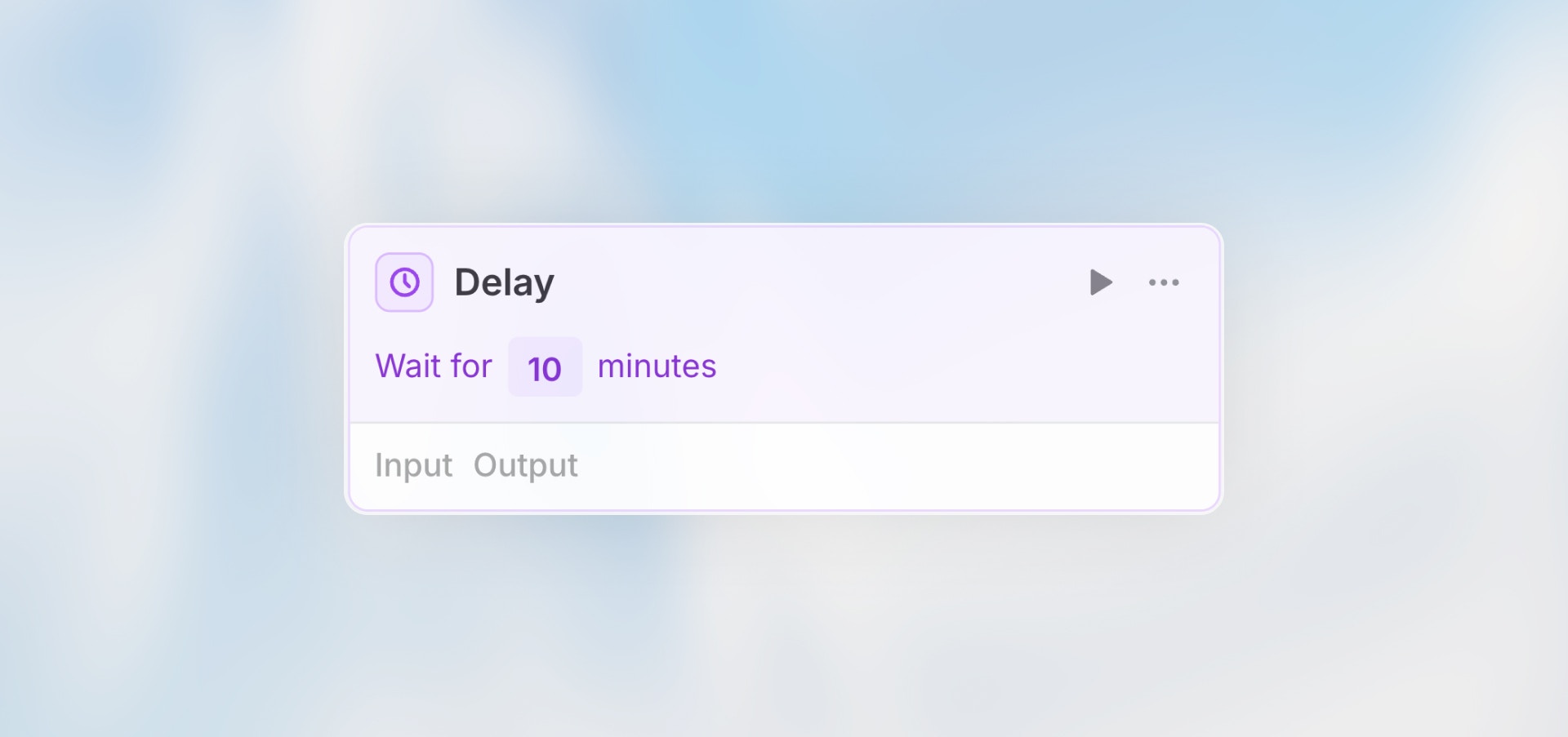
The Delay node pauses workflow execution for a specified duration. All subsequent nodes wait until the delay period completes before continuing. Perfect for polling, waiting for external processes, rate limiting, or implementing retry logic.
**Best for**: Polling APIs, waiting for processing, rate limiting, retry
delays, and scheduled follow-ups.
## Configuration
**Delay Duration**: Set the pause time between 1 second and 24 hours (default: 5 seconds)
**Options:**
* Seconds (1-86400)
* Minutes (1-1440)
* Hours (1-24)
## When to Use Delay
**Perfect for:**
* Polling an API until a process completes
* Waiting for external systems to process data
* Rate limiting to avoid API throttling
* Adding retry delays after errors
* Scheduling follow-up actions
* Implementing exponential backoff
**Not ideal for:**
* Long-term scheduling (use Scheduled Trigger instead)
* Delays longer than 24 hours
* Time-based triggers (use Scheduled Trigger)
## Example Use Cases
### Retry with Backoff
```text theme={null}
HTTP Request: Call API
→ [On Error] → Delay: 5 seconds
→ HTTP Request: Retry API call
→ [On Error] → Delay: 15 seconds
→ HTTP Request: Final retry
```
### Waiting for Processing
```text theme={null}
Action: Submit document for processing
→ Delay: 1 minute
→ HTTP Request: Fetch processed document
→ Agent: Analyze results
```
## How It Works
1. Workflow reaches the Delay node
2. Execution pauses for the specified duration
3. After the delay, workflow continues to the next node
4. All subsequent nodes wait for the delay to complete
**Important**: The delay is a real pause in execution. If you set a 1-hour
delay, the workflow will literally wait 1 hour before continuing.
## Use with Loops
Delays are especially useful inside loops to control execution rate:
```text theme={null}
Loop: Process 100 items
Variable: item
→ HTTP Request: Process {{item.id}}
→ Delay: 1 second (prevents rate limiting)
```
**Without delay**: 100 API calls in \~10 seconds (may hit rate limits)\
**With 1-second delay**: 100 API calls in \~100 seconds (stays under limits)
## Limitations
* **Minimum delay**: 1 second
* **Maximum delay**: 24 hours
* **No cancellation**: Once a delay starts, it cannot be interrupted
* **Workflow must stay active**: The workflow continues running during the delay
Long delays keep the workflow execution running. For delays longer than a few
hours, consider using a Scheduled Trigger to restart the workflow instead.
## Cost Considerations
Delays themselves are free, but:
* Workflow execution time includes the delay period
* Long delays keep the workflow "running"
* Consider if a scheduled workflow restart would be more efficient
## Best Practices
Long delays keep workflows running and can impact costs. Use Scheduled Triggers for delays over a few hours.
Workflows have execution time limits. Very long delays may cause the workflow
to timeout.
Start with shorter delays and increase gradually if needed. Don't poll more
frequently than necessary.
Add a comment to the delay node explaining why the pause is needed - your future self will thank you.
## Next Steps
Combine with conditions for smart polling
Poll APIs with delays
Learn about workflow execution flow
Add manual approval steps with delays
## Overview
The Delay node pauses workflow execution for a specified duration. All subsequent nodes wait until the delay period completes before continuing. Perfect for polling, waiting for external processes, rate limiting, or implementing retry logic.
**Best for**: Polling APIs, waiting for processing, rate limiting, retry
delays, and scheduled follow-ups.
## Configuration
**Delay Duration**: Set the pause time between 1 second and 24 hours (default: 5 seconds)
**Options:**
* Seconds (1-86400)
* Minutes (1-1440)
* Hours (1-24)
## When to Use Delay
**Perfect for:**
* Polling an API until a process completes
* Waiting for external systems to process data
* Rate limiting to avoid API throttling
* Adding retry delays after errors
* Scheduling follow-up actions
* Implementing exponential backoff
**Not ideal for:**
* Long-term scheduling (use Scheduled Trigger instead)
* Delays longer than 24 hours
* Time-based triggers (use Scheduled Trigger)
## Example Use Cases
### Retry with Backoff
```text theme={null}
HTTP Request: Call API
→ [On Error] → Delay: 5 seconds
→ HTTP Request: Retry API call
→ [On Error] → Delay: 15 seconds
→ HTTP Request: Final retry
```
### Waiting for Processing
```text theme={null}
Action: Submit document for processing
→ Delay: 1 minute
→ HTTP Request: Fetch processed document
→ Agent: Analyze results
```
## How It Works
1. Workflow reaches the Delay node
2. Execution pauses for the specified duration
3. After the delay, workflow continues to the next node
4. All subsequent nodes wait for the delay to complete
**Important**: The delay is a real pause in execution. If you set a 1-hour
delay, the workflow will literally wait 1 hour before continuing.
## Use with Loops
Delays are especially useful inside loops to control execution rate:
```text theme={null}
Loop: Process 100 items
Variable: item
→ HTTP Request: Process {{item.id}}
→ Delay: 1 second (prevents rate limiting)
```
**Without delay**: 100 API calls in \~10 seconds (may hit rate limits)\
**With 1-second delay**: 100 API calls in \~100 seconds (stays under limits)
## Limitations
* **Minimum delay**: 1 second
* **Maximum delay**: 24 hours
* **No cancellation**: Once a delay starts, it cannot be interrupted
* **Workflow must stay active**: The workflow continues running during the delay
Long delays keep the workflow execution running. For delays longer than a few
hours, consider using a Scheduled Trigger to restart the workflow instead.
## Cost Considerations
Delays themselves are free, but:
* Workflow execution time includes the delay period
* Long delays keep the workflow "running"
* Consider if a scheduled workflow restart would be more efficient
## Best Practices
Long delays keep workflows running and can impact costs. Use Scheduled Triggers for delays over a few hours.
Workflows have execution time limits. Very long delays may cause the workflow
to timeout.
Start with shorter delays and increase gradually if needed. Don't poll more
frequently than necessary.
Add a comment to the delay node explaining why the pause is needed - your future self will thank you.
## Next Steps
Combine with conditions for smart polling
Poll APIs with delays
Learn about workflow execution flow
Add manual approval steps with delays