> ## Documentation Index
> Fetch the complete documentation index at: https://docs.langdock.com/llms.txt
> Use this file to discover all available pages before exploring further.
# Code
> Write JavaScript or Python code directly from within your workflow.
## Overview
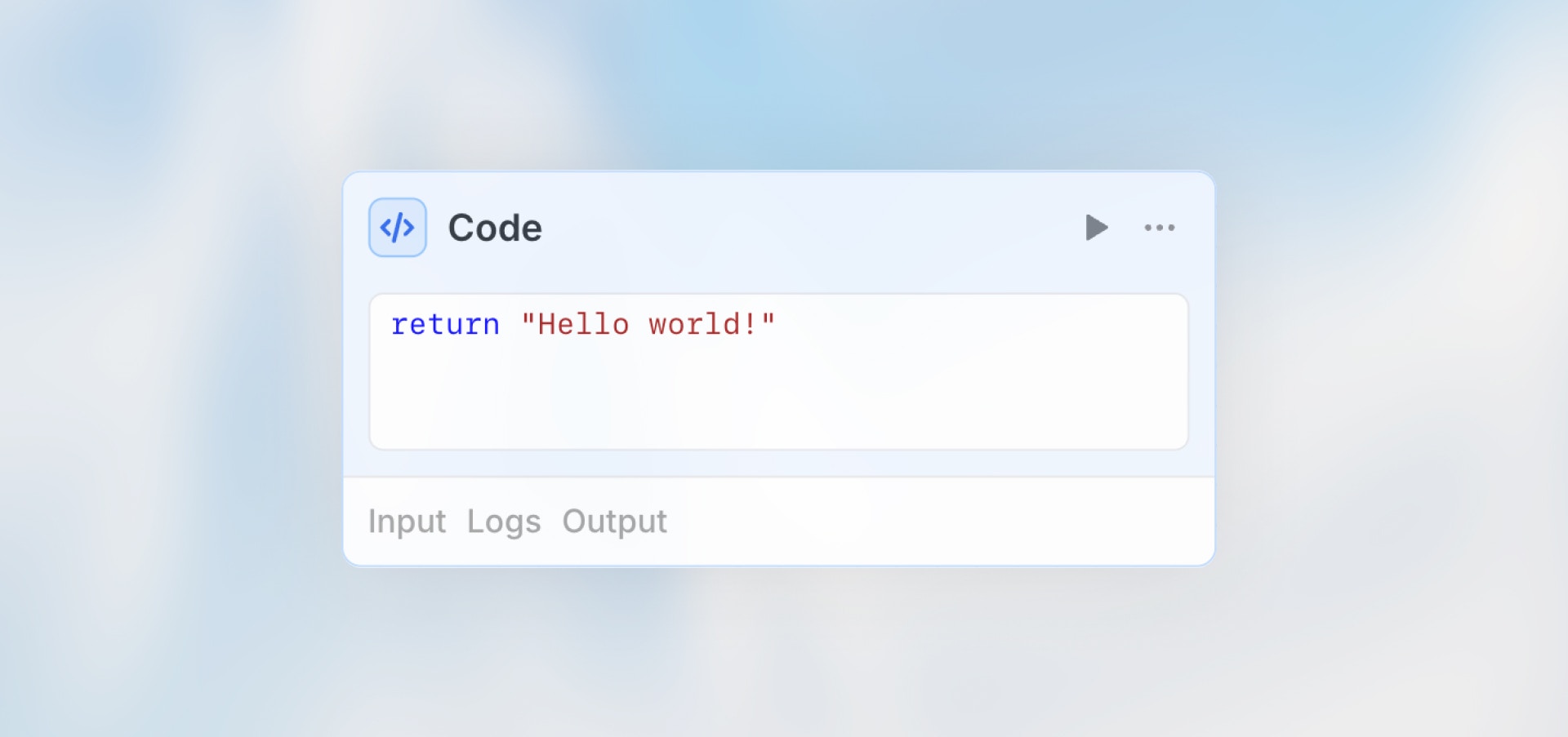
Use the Code node to process workflow data directly with custom JavaScript or Python code. Choose it when standard nodes are not enough, for example for calculations, formatting, validation, file processing, or custom business logic.
 ## When to Use Code Node
**Code nodes are perfect for:**
* Data transformations and formatting
* Mathematical calculations
* Custom business logic
* JSON parsing and manipulation
* Data validation and cleaning
* Date/time operations
* File processing with JavaScript and Python
**What code nodes are not ideal for:**
* AI analysis (use Agent node)
* External API calls (use HTTP Request node)
* Simple conditions (use Condition node)
* Long-running or interactive analysis (use Data Analysis)
## Configuration
**Language**: Choose whether to write your code in JavaScript or Python.
**Code Editor**: Write your transformation logic in the selected language in the code editor that opens when you select the Code node.
**Access Previous Nodes**: Outputs from previous nodes are available as variables in the Code node. The available variable names are shown at the top of the code editor. To use the Code node output later, see [Accessing Code Output](#accessing-code-output).
## Examples
### Calculate Statistics
```javascript JavaScript theme={null}
// Access data from previous nodes
const scores = agent.output.structured.scores || [];
// Calculate statistics
const average = scores.reduce((a, b) => a + b, 0) / scores.length;
const max = Math.max(...scores);
const min = Math.min(...scores);
// Return result
return {
average_score: average.toFixed(2),
highest_score: max,
lowest_score: min,
grade: average >= 90 ? "A" : average >= 80 ? "B" : "C"
};
```
```python Python theme={null}
# Access data from previous nodes
agent_output = agent.get("output", {})
scores = agent_output.get("structured", {}).get("scores", [])
if not scores:
return {
"average_score": 0,
"highest_score": None,
"lowest_score": None,
"grade": "N/A"
}
# Calculate statistics
average = sum(scores) / len(scores)
print(f"Processed {len(scores)} scores")
# Return result
return {
"average_score": round(average, 2),
"highest_score": max(scores),
"lowest_score": min(scores),
"grade": "A" if average >= 90 else "B" if average >= 80 else "C"
}
```
### Validate and Clean Data
```javascript JavaScript theme={null}
// Access form data
const email = trigger.output.email || "";
const amount = trigger.output.amount || 0;
// Validate
if (!email.includes("@")) {
throw new Error("Invalid email format");
}
if (amount <= 0) {
throw new Error("Amount must be greater than zero");
}
// Clean and return
return {
email: email.trim().toLowerCase(),
amount: parseFloat(amount.toFixed(2)),
validated: true
};
```
```python Python theme={null}
# Access form data
trigger_output = trigger.get("output", {})
email = trigger_output.get("email", "")
amount = trigger_output.get("amount", 0)
# Validate
if "@" not in email:
raise ValueError("Invalid email format")
if amount <= 0:
raise ValueError("Amount must be greater than zero")
# Clean and return
return {
"email": email.strip().lower(),
"amount": round(float(amount), 2),
"validated": True
}
```
### Transform and Filter Arrays
```javascript JavaScript theme={null}
// Access data from previous node
const customers = trigger.output.customers || [];
// Filter active customers
const activeCustomers = customers.filter(c => c.status === "active");
// Transform data
const processed = activeCustomers.map(customer => ({
id: customer.id,
name: `${customer.firstName} ${customer.lastName}`.trim(),
email: customer.email.toLowerCase(),
tier: customer.totalSpent > 1000 ? "premium" : "standard"
}));
return {
customers: processed,
total: processed.length,
premiumCount: processed.filter(c => c.tier === "premium").length
};
```
```python Python theme={null}
# Access data from previous node
customers = trigger.get("output", {}).get("customers", [])
# Filter active customers
active_customers = [
customer for customer in customers
if customer.get("status") == "active"
]
# Transform data
processed = [
{
"id": customer.get("id"),
"name": f"{customer.get('firstName', '')} {customer.get('lastName', '')}".strip(),
"email": customer.get("email", "").lower(),
"tier": "premium" if customer.get("totalSpent", 0) > 1000 else "standard"
}
for customer in active_customers
]
return {
"customers": processed,
"total": len(processed),
"premiumCount": len([c for c in processed if c["tier"] == "premium"])
}
```
### Date Operations
```javascript JavaScript theme={null}
// Access event data
const events = trigger.output.events || [];
const now = new Date();
const processedEvents = events.map(event => {
const eventDate = new Date(event.date);
const daysUntil = Math.ceil((eventDate - now) / (1000 * 60 * 60 * 24));
return {
title: event.title,
date: eventDate.toISOString(),
formatted: eventDate.toLocaleDateString("en-US", {
weekday: "long",
year: "numeric",
month: "long",
day: "numeric"
}),
daysUntil: daysUntil,
isUpcoming: daysUntil >= 0,
isThisWeek: daysUntil >= 0 && daysUntil <= 7
};
});
return {
events: processedEvents,
upcomingCount: processedEvents.filter(e => e.isUpcoming).length,
thisWeekCount: processedEvents.filter(e => e.isThisWeek).length
};
```
```python Python theme={null}
from datetime import datetime, timezone
# Access event data
events = trigger.get("output", {}).get("events", [])
now = datetime.now(timezone.utc)
processed_events = []
for event in events:
event_date = datetime.fromisoformat(event["date"].replace("Z", "+00:00"))
days_until = (event_date.date() - now.date()).days
processed_events.append({
"title": event.get("title"),
"date": event_date.isoformat(),
"formatted": event_date.strftime("%A, %B %d, %Y"),
"daysUntil": days_until,
"isUpcoming": days_until >= 0,
"isThisWeek": 0 <= days_until <= 7
})
return {
"events": processed_events,
"upcomingCount": len([e for e in processed_events if e["isUpcoming"]]),
"thisWeekCount": len([e for e in processed_events if e["isThisWeek"]])
}
```
### JSON Processing
```javascript JavaScript theme={null}
// Nested JSON from API response
const apiResponse = http_request.output || {};
// Extract and flatten nested data
const users = apiResponse.data?.users || [];
const flattened = users.map(user => ({
id: user.id,
name: `${user.first_name || ""} ${user.last_name || ""}`.trim(),
email: user.contact?.email || "",
city: user.address?.city || "Unknown",
isActive: user.status === "active"
}));
return {
users: flattened,
total: flattened.length,
activeCount: flattened.filter(u => u.isActive).length
};
```
```python Python theme={null}
# Nested JSON from API response
api_response = http_request.get("output", {})
# Extract and flatten nested data
users = api_response.get("data", {}).get("users", [])
flattened = [
{
"id": user.get("id"),
"name": f"{user.get('first_name', '')} {user.get('last_name', '')}".strip(),
"email": user.get("contact", {}).get("email", ""),
"city": user.get("address", {}).get("city", "Unknown"),
"isActive": user.get("status") == "active"
}
for user in users
]
return {
"users": flattened,
"total": len(flattened),
"activeCount": len([user for user in flattened if user["isActive"]])
}
```
### Aggregate and Summarize
```javascript JavaScript theme={null}
// Sales data from previous node
const sales = http_request.output.sales || [];
// Group by category
const byCategory = {};
sales.forEach(sale => {
const cat = sale.category || "Other";
if (!byCategory[cat]) {
byCategory[cat] = { total: 0, count: 0, items: [] };
}
byCategory[cat].total += sale.amount || 0;
byCategory[cat].count += 1;
byCategory[cat].items.push(sale);
});
// Calculate summary
const summary = Object.entries(byCategory).map(([category, data]) => ({
category,
totalRevenue: data.total.toFixed(2),
orderCount: data.count,
averageOrder: (data.total / data.count).toFixed(2)
}));
// Sort by revenue
summary.sort((a, b) => parseFloat(b.totalRevenue) - parseFloat(a.totalRevenue));
return {
summary: summary,
topCategory: summary[0]?.category || "None",
grandTotal: sales.reduce((sum, s) => sum + (s.amount || 0), 0).toFixed(2)
};
```
```python Python theme={null}
# Sales data from previous node
sales = http_request.get("output", {}).get("sales", [])
# Group by category
by_category = {}
for sale in sales:
category = sale.get("category") or "Other"
if category not in by_category:
by_category[category] = {"total": 0, "count": 0, "items": []}
by_category[category]["total"] += sale.get("amount", 0)
by_category[category]["count"] += 1
by_category[category]["items"].append(sale)
# Calculate summary
summary = [
{
"category": category,
"totalRevenue": f"{data['total']:.2f}",
"orderCount": data["count"],
"averageOrder": f"{data['total'] / data['count']:.2f}"
}
for category, data in by_category.items()
]
# Sort by revenue
summary.sort(key=lambda row: float(row["totalRevenue"]), reverse=True)
return {
"summary": summary,
"topCategory": summary[0]["category"] if summary else "None",
"grandTotal": f"{sum(sale.get('amount', 0) for sale in sales):.2f}"
}
```
### Create a File with JavaScript
JavaScript can produce workflow files by returning a `files` array. Each entry must include `fileName`, `mimeType`, and either `text` (for text/CSV/JSON content) or `base64` (for binary content). The runtime uploads the files and attaches them to the node output under `_files`.
```javascript JavaScript theme={null}
const customers = trigger.output.customers || [];
const activeCustomers = customers.filter((c) => c.status === "active");
const csv = [
["id", "email"],
...activeCustomers.map((c) => [c.id, (c.email || "").toLowerCase()]),
]
.map((row) => row.map((cell) => `"${String(cell).replaceAll('"', '""')}"`).join(","))
.join("\n");
return {
active_count: activeCustomers.length,
files: [
{
fileName: "active_customers.csv",
mimeType: "text/csv",
text: csv,
},
],
};
```
### Read Files from Previous Nodes
Files passed from previous nodes, such as form uploads or action outputs, are available in the Python working directory. Each file object carries a `path` you can pass directly to `open()` and the original filename under `_metadata.name`.
```python Python theme={null}
# File upload fields contain a list of file objects
files = trigger.get("output", {}).get("resume", [])
processed = []
for file in files:
with open(file["path"], "rb") as f:
content = f.read()
processed.append({
"name": file["_metadata"]["name"],
"size_bytes": len(content)
})
return {"files_processed": processed}
```
### Create a File with Python
Files created by Python in the working directory are attached to the node output under `_files`.
```python Python theme={null}
import csv
customers = trigger.get("output", {}).get("customers", [])
active_customers = [c for c in customers if c.get("status") == "active"]
with open("active_customers.csv", "w", newline="") as file:
writer = csv.DictWriter(file, fieldnames=["id", "email"])
writer.writeheader()
for customer in active_customers:
writer.writerow({
"id": customer.get("id"),
"email": customer.get("email", "").lower()
})
print(f"Created CSV with {len(active_customers)} customers")
return {
"active_count": len(active_customers),
"file_name": "active_customers.csv"
}
```
## Accessing Code Output
Use the Code node name to access returned values from JavaScript or Python in subsequent nodes:
```handlebars theme={null}
{{code_node_name.output.customer}}
{{code_node_name.output.total}}
{{code_node_name.output.formatted_date}}
{{code_node_name.output.processed_items[0].name}}
```
Files returned by JavaScript or created by Python in the working directory are available under `_files`:
```handlebars theme={null}
{{code_node_name.output._files[0]._metadata.name}}
```
## Language Capabilities
Code node capabilities depend on the selected language.
### JavaScript
JavaScript runs in a secure sandbox environment with built-in utility functions:
* **`ld.request()`**: Make HTTP requests
* **`ld.log()`**: Output debugging information
* **Data conversions**: CSV, Parquet, Arrow format conversions
* **File creation**: Return a `files` array to expose generated files under `_files`
* **Standard JavaScript**: JSON, Date, Math, Array, Object methods
View all available sandbox utilities including data conversions, SQL validation, cryptography, and more.
### Python
Python runs in a sandboxed environment without internet access.
* Use top-level `return` to set the node output
* Use `print()` to write logs
* Use preinstalled data and document libraries such as pandas, numpy, openpyxl, and pypdf
* Access previous node outputs as variables when their slugs are valid Python identifiers
* Read files from previous nodes by passing `file["path"]` to `open()`
* Save files in the working directory to expose them under `_files`
* Run without internet access
The JavaScript `ld.*` utilities are not available in Python.
## Best Practices
Return data as objects for easy access in later nodes. This makes it simple to reference specific values in subsequent nodes using dot notation.
Use `||`, optional chaining (`?.`), or Python `.get()` to provide default values and prevent errors when data is undefined or null.
Wrap risky operations in `try/catch` for JavaScript or `try/except` for Python. This helps prevent workflow failures and provides meaningful error messages.
Complex logic might be better in an Agent node. Use code nodes for straightforward transformations and calculations, not for tasks requiring intelligence or context understanding.
Code nodes fail if the combined output of previous nodes exceeds 5 MB. Reduce upstream output size, process fewer loop items, or disable loop output collection before the code node.
Document what your code does for future reference. Clear comments help you and your team understand the logic when revisiting the workflow later.
## Limits
Each Code node has a **5 MiB limit** on the combined input it receives from previous nodes. Before your code runs, Langdock measures the size of all upstream outputs that the node can access. If they exceed 5 MiB, the node fails with an error and your code is never executed.
Common causes:
* A Loop node that collects outputs from many iterations into a single array.
* A previous node that returns a very large API response, file content, or dataset.
* Deeply nested objects that cannot be safely measured.
If you hit this limit, do one of the following:
* Reduce the size of the upstream node output by filtering, summarizing, or selecting only the fields you need.
* Process fewer items per iteration in any preceding Loop node.
* Disable output collection on the preceding Loop node when you do not need to read its aggregated results.
## Next Steps
Use AI for intelligent processing
Fetch external data
Analyze data with an Agent
## When to Use Code Node
**Code nodes are perfect for:**
* Data transformations and formatting
* Mathematical calculations
* Custom business logic
* JSON parsing and manipulation
* Data validation and cleaning
* Date/time operations
* File processing with JavaScript and Python
**What code nodes are not ideal for:**
* AI analysis (use Agent node)
* External API calls (use HTTP Request node)
* Simple conditions (use Condition node)
* Long-running or interactive analysis (use Data Analysis)
## Configuration
**Language**: Choose whether to write your code in JavaScript or Python.
**Code Editor**: Write your transformation logic in the selected language in the code editor that opens when you select the Code node.
**Access Previous Nodes**: Outputs from previous nodes are available as variables in the Code node. The available variable names are shown at the top of the code editor. To use the Code node output later, see [Accessing Code Output](#accessing-code-output).
## Examples
### Calculate Statistics
```javascript JavaScript theme={null}
// Access data from previous nodes
const scores = agent.output.structured.scores || [];
// Calculate statistics
const average = scores.reduce((a, b) => a + b, 0) / scores.length;
const max = Math.max(...scores);
const min = Math.min(...scores);
// Return result
return {
average_score: average.toFixed(2),
highest_score: max,
lowest_score: min,
grade: average >= 90 ? "A" : average >= 80 ? "B" : "C"
};
```
```python Python theme={null}
# Access data from previous nodes
agent_output = agent.get("output", {})
scores = agent_output.get("structured", {}).get("scores", [])
if not scores:
return {
"average_score": 0,
"highest_score": None,
"lowest_score": None,
"grade": "N/A"
}
# Calculate statistics
average = sum(scores) / len(scores)
print(f"Processed {len(scores)} scores")
# Return result
return {
"average_score": round(average, 2),
"highest_score": max(scores),
"lowest_score": min(scores),
"grade": "A" if average >= 90 else "B" if average >= 80 else "C"
}
```
### Validate and Clean Data
```javascript JavaScript theme={null}
// Access form data
const email = trigger.output.email || "";
const amount = trigger.output.amount || 0;
// Validate
if (!email.includes("@")) {
throw new Error("Invalid email format");
}
if (amount <= 0) {
throw new Error("Amount must be greater than zero");
}
// Clean and return
return {
email: email.trim().toLowerCase(),
amount: parseFloat(amount.toFixed(2)),
validated: true
};
```
```python Python theme={null}
# Access form data
trigger_output = trigger.get("output", {})
email = trigger_output.get("email", "")
amount = trigger_output.get("amount", 0)
# Validate
if "@" not in email:
raise ValueError("Invalid email format")
if amount <= 0:
raise ValueError("Amount must be greater than zero")
# Clean and return
return {
"email": email.strip().lower(),
"amount": round(float(amount), 2),
"validated": True
}
```
### Transform and Filter Arrays
```javascript JavaScript theme={null}
// Access data from previous node
const customers = trigger.output.customers || [];
// Filter active customers
const activeCustomers = customers.filter(c => c.status === "active");
// Transform data
const processed = activeCustomers.map(customer => ({
id: customer.id,
name: `${customer.firstName} ${customer.lastName}`.trim(),
email: customer.email.toLowerCase(),
tier: customer.totalSpent > 1000 ? "premium" : "standard"
}));
return {
customers: processed,
total: processed.length,
premiumCount: processed.filter(c => c.tier === "premium").length
};
```
```python Python theme={null}
# Access data from previous node
customers = trigger.get("output", {}).get("customers", [])
# Filter active customers
active_customers = [
customer for customer in customers
if customer.get("status") == "active"
]
# Transform data
processed = [
{
"id": customer.get("id"),
"name": f"{customer.get('firstName', '')} {customer.get('lastName', '')}".strip(),
"email": customer.get("email", "").lower(),
"tier": "premium" if customer.get("totalSpent", 0) > 1000 else "standard"
}
for customer in active_customers
]
return {
"customers": processed,
"total": len(processed),
"premiumCount": len([c for c in processed if c["tier"] == "premium"])
}
```
### Date Operations
```javascript JavaScript theme={null}
// Access event data
const events = trigger.output.events || [];
const now = new Date();
const processedEvents = events.map(event => {
const eventDate = new Date(event.date);
const daysUntil = Math.ceil((eventDate - now) / (1000 * 60 * 60 * 24));
return {
title: event.title,
date: eventDate.toISOString(),
formatted: eventDate.toLocaleDateString("en-US", {
weekday: "long",
year: "numeric",
month: "long",
day: "numeric"
}),
daysUntil: daysUntil,
isUpcoming: daysUntil >= 0,
isThisWeek: daysUntil >= 0 && daysUntil <= 7
};
});
return {
events: processedEvents,
upcomingCount: processedEvents.filter(e => e.isUpcoming).length,
thisWeekCount: processedEvents.filter(e => e.isThisWeek).length
};
```
```python Python theme={null}
from datetime import datetime, timezone
# Access event data
events = trigger.get("output", {}).get("events", [])
now = datetime.now(timezone.utc)
processed_events = []
for event in events:
event_date = datetime.fromisoformat(event["date"].replace("Z", "+00:00"))
days_until = (event_date.date() - now.date()).days
processed_events.append({
"title": event.get("title"),
"date": event_date.isoformat(),
"formatted": event_date.strftime("%A, %B %d, %Y"),
"daysUntil": days_until,
"isUpcoming": days_until >= 0,
"isThisWeek": 0 <= days_until <= 7
})
return {
"events": processed_events,
"upcomingCount": len([e for e in processed_events if e["isUpcoming"]]),
"thisWeekCount": len([e for e in processed_events if e["isThisWeek"]])
}
```
### JSON Processing
```javascript JavaScript theme={null}
// Nested JSON from API response
const apiResponse = http_request.output || {};
// Extract and flatten nested data
const users = apiResponse.data?.users || [];
const flattened = users.map(user => ({
id: user.id,
name: `${user.first_name || ""} ${user.last_name || ""}`.trim(),
email: user.contact?.email || "",
city: user.address?.city || "Unknown",
isActive: user.status === "active"
}));
return {
users: flattened,
total: flattened.length,
activeCount: flattened.filter(u => u.isActive).length
};
```
```python Python theme={null}
# Nested JSON from API response
api_response = http_request.get("output", {})
# Extract and flatten nested data
users = api_response.get("data", {}).get("users", [])
flattened = [
{
"id": user.get("id"),
"name": f"{user.get('first_name', '')} {user.get('last_name', '')}".strip(),
"email": user.get("contact", {}).get("email", ""),
"city": user.get("address", {}).get("city", "Unknown"),
"isActive": user.get("status") == "active"
}
for user in users
]
return {
"users": flattened,
"total": len(flattened),
"activeCount": len([user for user in flattened if user["isActive"]])
}
```
### Aggregate and Summarize
```javascript JavaScript theme={null}
// Sales data from previous node
const sales = http_request.output.sales || [];
// Group by category
const byCategory = {};
sales.forEach(sale => {
const cat = sale.category || "Other";
if (!byCategory[cat]) {
byCategory[cat] = { total: 0, count: 0, items: [] };
}
byCategory[cat].total += sale.amount || 0;
byCategory[cat].count += 1;
byCategory[cat].items.push(sale);
});
// Calculate summary
const summary = Object.entries(byCategory).map(([category, data]) => ({
category,
totalRevenue: data.total.toFixed(2),
orderCount: data.count,
averageOrder: (data.total / data.count).toFixed(2)
}));
// Sort by revenue
summary.sort((a, b) => parseFloat(b.totalRevenue) - parseFloat(a.totalRevenue));
return {
summary: summary,
topCategory: summary[0]?.category || "None",
grandTotal: sales.reduce((sum, s) => sum + (s.amount || 0), 0).toFixed(2)
};
```
```python Python theme={null}
# Sales data from previous node
sales = http_request.get("output", {}).get("sales", [])
# Group by category
by_category = {}
for sale in sales:
category = sale.get("category") or "Other"
if category not in by_category:
by_category[category] = {"total": 0, "count": 0, "items": []}
by_category[category]["total"] += sale.get("amount", 0)
by_category[category]["count"] += 1
by_category[category]["items"].append(sale)
# Calculate summary
summary = [
{
"category": category,
"totalRevenue": f"{data['total']:.2f}",
"orderCount": data["count"],
"averageOrder": f"{data['total'] / data['count']:.2f}"
}
for category, data in by_category.items()
]
# Sort by revenue
summary.sort(key=lambda row: float(row["totalRevenue"]), reverse=True)
return {
"summary": summary,
"topCategory": summary[0]["category"] if summary else "None",
"grandTotal": f"{sum(sale.get('amount', 0) for sale in sales):.2f}"
}
```
### Create a File with JavaScript
JavaScript can produce workflow files by returning a `files` array. Each entry must include `fileName`, `mimeType`, and either `text` (for text/CSV/JSON content) or `base64` (for binary content). The runtime uploads the files and attaches them to the node output under `_files`.
```javascript JavaScript theme={null}
const customers = trigger.output.customers || [];
const activeCustomers = customers.filter((c) => c.status === "active");
const csv = [
["id", "email"],
...activeCustomers.map((c) => [c.id, (c.email || "").toLowerCase()]),
]
.map((row) => row.map((cell) => `"${String(cell).replaceAll('"', '""')}"`).join(","))
.join("\n");
return {
active_count: activeCustomers.length,
files: [
{
fileName: "active_customers.csv",
mimeType: "text/csv",
text: csv,
},
],
};
```
### Read Files from Previous Nodes
Files passed from previous nodes, such as form uploads or action outputs, are available in the Python working directory. Each file object carries a `path` you can pass directly to `open()` and the original filename under `_metadata.name`.
```python Python theme={null}
# File upload fields contain a list of file objects
files = trigger.get("output", {}).get("resume", [])
processed = []
for file in files:
with open(file["path"], "rb") as f:
content = f.read()
processed.append({
"name": file["_metadata"]["name"],
"size_bytes": len(content)
})
return {"files_processed": processed}
```
### Create a File with Python
Files created by Python in the working directory are attached to the node output under `_files`.
```python Python theme={null}
import csv
customers = trigger.get("output", {}).get("customers", [])
active_customers = [c for c in customers if c.get("status") == "active"]
with open("active_customers.csv", "w", newline="") as file:
writer = csv.DictWriter(file, fieldnames=["id", "email"])
writer.writeheader()
for customer in active_customers:
writer.writerow({
"id": customer.get("id"),
"email": customer.get("email", "").lower()
})
print(f"Created CSV with {len(active_customers)} customers")
return {
"active_count": len(active_customers),
"file_name": "active_customers.csv"
}
```
## Accessing Code Output
Use the Code node name to access returned values from JavaScript or Python in subsequent nodes:
```handlebars theme={null}
{{code_node_name.output.customer}}
{{code_node_name.output.total}}
{{code_node_name.output.formatted_date}}
{{code_node_name.output.processed_items[0].name}}
```
Files returned by JavaScript or created by Python in the working directory are available under `_files`:
```handlebars theme={null}
{{code_node_name.output._files[0]._metadata.name}}
```
## Language Capabilities
Code node capabilities depend on the selected language.
### JavaScript
JavaScript runs in a secure sandbox environment with built-in utility functions:
* **`ld.request()`**: Make HTTP requests
* **`ld.log()`**: Output debugging information
* **Data conversions**: CSV, Parquet, Arrow format conversions
* **File creation**: Return a `files` array to expose generated files under `_files`
* **Standard JavaScript**: JSON, Date, Math, Array, Object methods
View all available sandbox utilities including data conversions, SQL validation, cryptography, and more.
### Python
Python runs in a sandboxed environment without internet access.
* Use top-level `return` to set the node output
* Use `print()` to write logs
* Use preinstalled data and document libraries such as pandas, numpy, openpyxl, and pypdf
* Access previous node outputs as variables when their slugs are valid Python identifiers
* Read files from previous nodes by passing `file["path"]` to `open()`
* Save files in the working directory to expose them under `_files`
* Run without internet access
The JavaScript `ld.*` utilities are not available in Python.
## Best Practices
Return data as objects for easy access in later nodes. This makes it simple to reference specific values in subsequent nodes using dot notation.
Use `||`, optional chaining (`?.`), or Python `.get()` to provide default values and prevent errors when data is undefined or null.
Wrap risky operations in `try/catch` for JavaScript or `try/except` for Python. This helps prevent workflow failures and provides meaningful error messages.
Complex logic might be better in an Agent node. Use code nodes for straightforward transformations and calculations, not for tasks requiring intelligence or context understanding.
Code nodes fail if the combined output of previous nodes exceeds 5 MB. Reduce upstream output size, process fewer loop items, or disable loop output collection before the code node.
Document what your code does for future reference. Clear comments help you and your team understand the logic when revisiting the workflow later.
## Limits
Each Code node has a **5 MiB limit** on the combined input it receives from previous nodes. Before your code runs, Langdock measures the size of all upstream outputs that the node can access. If they exceed 5 MiB, the node fails with an error and your code is never executed.
Common causes:
* A Loop node that collects outputs from many iterations into a single array.
* A previous node that returns a very large API response, file content, or dataset.
* Deeply nested objects that cannot be safely measured.
If you hit this limit, do one of the following:
* Reduce the size of the upstream node output by filtering, summarizing, or selecting only the fields you need.
* Process fewer items per iteration in any preceding Loop node.
* Disable output collection on the preceding Loop node when you do not need to read its aggregated results.
## Next Steps
Use AI for intelligent processing
Fetch external data
Analyze data with an Agent