> ## Documentation Index
> Fetch the complete documentation index at: https://docs.langdock.com/llms.txt
> Use this file to discover all available pages before exploring further.
# Introduction to Workflows
> Build powerful AI-driven automations by connecting AI agents, integrations, and custom logic into multi-step workflows.
## What are Workflows?
Workflows are the next evolution in your Langdock journey. You've already experienced the power of **Chat** for interactive conversations, **Agents** for specialized AI helpers, and **Integrations** for connecting your tools. **Workflows** brings all of these together into end-to-end automations.
Think of Workflows as your orchestration layer - where you can chain multiple steps together, add conditional logic, loop through data, and create sophisticated automations that run automatically. Whether triggered by a form submission, a schedule, or an event in your connected apps, Workflows handle complex, multi-step processes from start to finish.
## Why Workflows?
### More Powerful Than Chat
While Chat is perfect for interactive Q\&A, Workflows automate entire processes without human intervention. Set them up once, and they run reliably 24/7.
### More Flexible Than Agents
Agents are great for specific tasks, but Workflows let you combine multiple AI agents, add custom logic, integrate with external APIs, and create sophisticated decision trees.
### More Than Integrations
Integrations connect your apps, but Workflows orchestrate complex workflows across those apps - with AI at every step to analyze, decide, and adapt.
## Ready to Get Started?
Follow our quickstart guide to create a working automation in 5 minutes [Get
Started →](/en/using-langdock/workflows/getting-started)
Understand how nodes, triggers, and execution work [Read Core Concepts
→](/en/using-langdock/workflows/fundamentals/core-concepts)
Discover all available nodes and what they can do [View Triggers
→](/en/using-langdock/workflows/nodes/triggers/manual-trigger)
## Explore by Category
Build your first workflow in 15 minutes
Learn the building blocks of workflows
Understand how to use static values and dynamic variables
Add manual approval steps to your workflows
Learn how to reference data between nodes
Monitor and control workflow spending
Workflows must be activated by an admin in workspace settings. Usage may need a subscription upgrade and will consume AI credits. Set cost limits and enable monitoring to control spending. Learn more in [Cost
Management](/en/using-langdock/workflows/guides/cost-management).
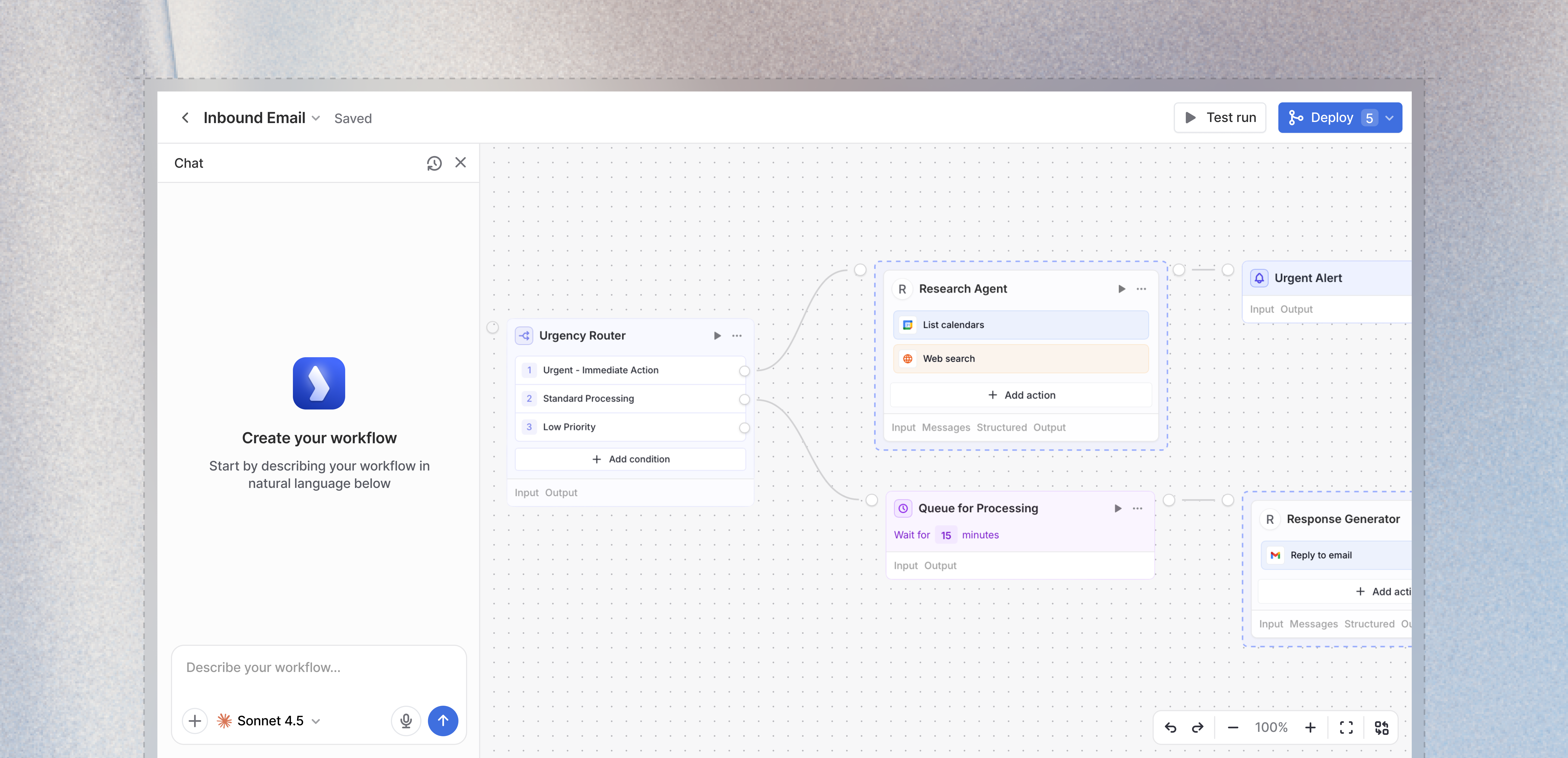 ## What are Workflows?
Workflows are the next evolution in your Langdock journey. You've already experienced the power of **Chat** for interactive conversations, **Agents** for specialized AI helpers, and **Integrations** for connecting your tools. **Workflows** brings all of these together into end-to-end automations.
Think of Workflows as your orchestration layer - where you can chain multiple steps together, add conditional logic, loop through data, and create sophisticated automations that run automatically. Whether triggered by a form submission, a schedule, or an event in your connected apps, Workflows handle complex, multi-step processes from start to finish.
## Why Workflows?
### More Powerful Than Chat
While Chat is perfect for interactive Q\&A, Workflows automate entire processes without human intervention. Set them up once, and they run reliably 24/7.
### More Flexible Than Agents
Agents are great for specific tasks, but Workflows let you combine multiple AI agents, add custom logic, integrate with external APIs, and create sophisticated decision trees.
### More Than Integrations
Integrations connect your apps, but Workflows orchestrate complex workflows across those apps - with AI at every step to analyze, decide, and adapt.
## Ready to Get Started?
## What are Workflows?
Workflows are the next evolution in your Langdock journey. You've already experienced the power of **Chat** for interactive conversations, **Agents** for specialized AI helpers, and **Integrations** for connecting your tools. **Workflows** brings all of these together into end-to-end automations.
Think of Workflows as your orchestration layer - where you can chain multiple steps together, add conditional logic, loop through data, and create sophisticated automations that run automatically. Whether triggered by a form submission, a schedule, or an event in your connected apps, Workflows handle complex, multi-step processes from start to finish.
## Why Workflows?
### More Powerful Than Chat
While Chat is perfect for interactive Q\&A, Workflows automate entire processes without human intervention. Set them up once, and they run reliably 24/7.
### More Flexible Than Agents
Agents are great for specific tasks, but Workflows let you combine multiple AI agents, add custom logic, integrate with external APIs, and create sophisticated decision trees.
### More Than Integrations
Integrations connect your apps, but Workflows orchestrate complex workflows across those apps - with AI at every step to analyze, decide, and adapt.
## Ready to Get Started?