> ## Documentation Index
> Fetch the complete documentation index at: https://docs.langdock.com/llms.txt
> Use this file to discover all available pages before exploring further.
# Usage credits
> Purchase usage credits to pay for extra usage, API usage, and workflow model usage.
## Determine whether your workspace has usage credits
Not all workspaces have usage credits. To find out whether your workspace has usage credits, go to [Settings > Workspace > Usage & spend](https://app.langdock.com/settings/workspace/usage).
* **If you see a "Usage credits" section:** Your workspace consumes usage credits to pay for extra usage, API usage, and workflow model usage. See [Buy usage credits](#buy-usage-credits) below to learn how to purchase usage credits.
* **If there is no "Usage credits" section:** Your workspace does not use usage credits. Extra usage, API usage, and workflow model usage are accrued and billed at the end of the monthly period shown in [Settings > Workspace > Billing](https://app.langdock.com/settings/workspace/billing).
## Buy usage credits
A workspace admin needs to purchase usage credits before extra usage, API usage, and workflow model usage can be enabled. Follow these steps to buy usage credits:
Go to [Settings > Workspace > Usage & spend](https://app.langdock.com/settings/workspace/usage).
Under **Usage credits**, click **Buy credits**.
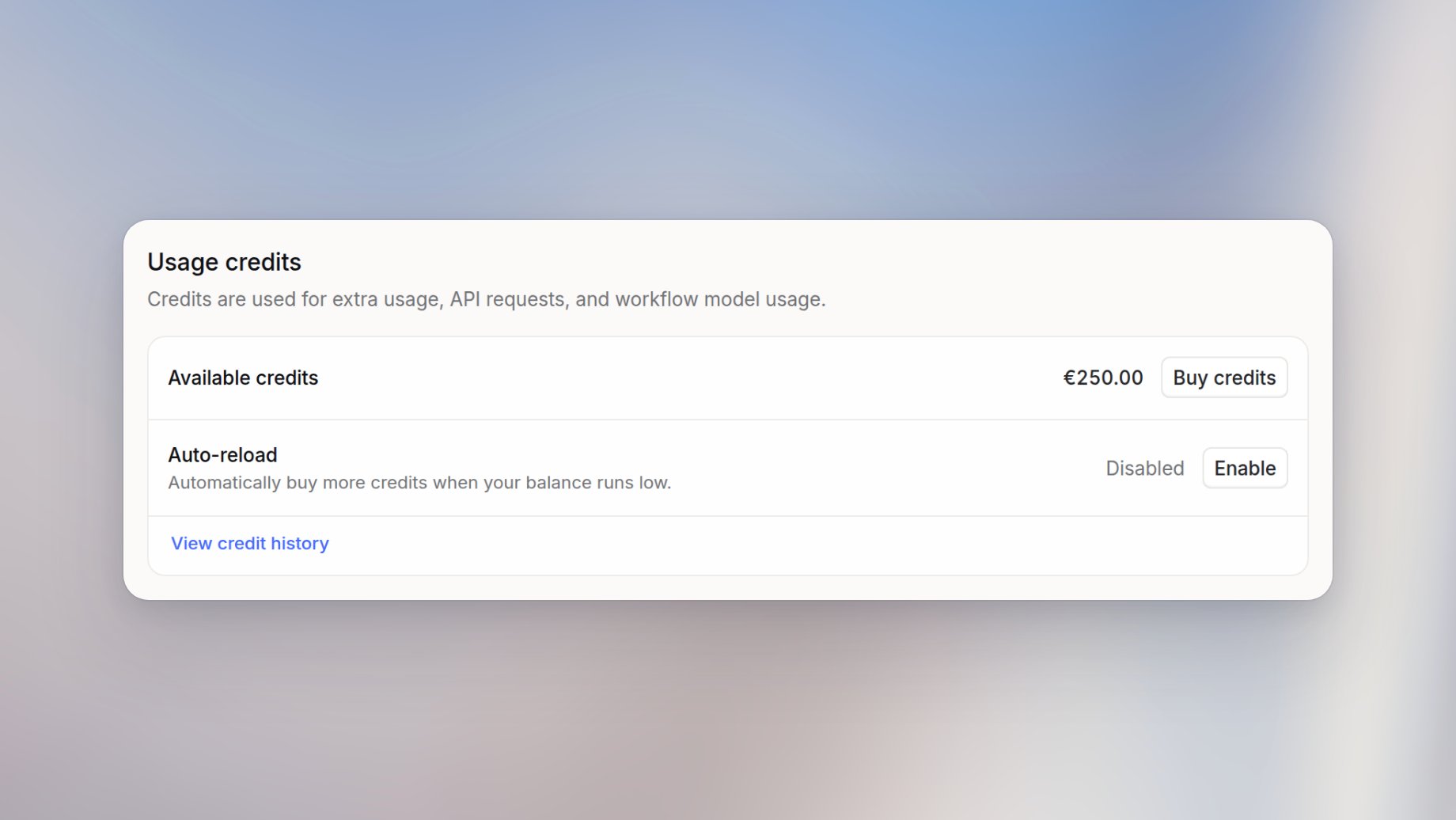 Choose a predefined amount or enter a custom amount.
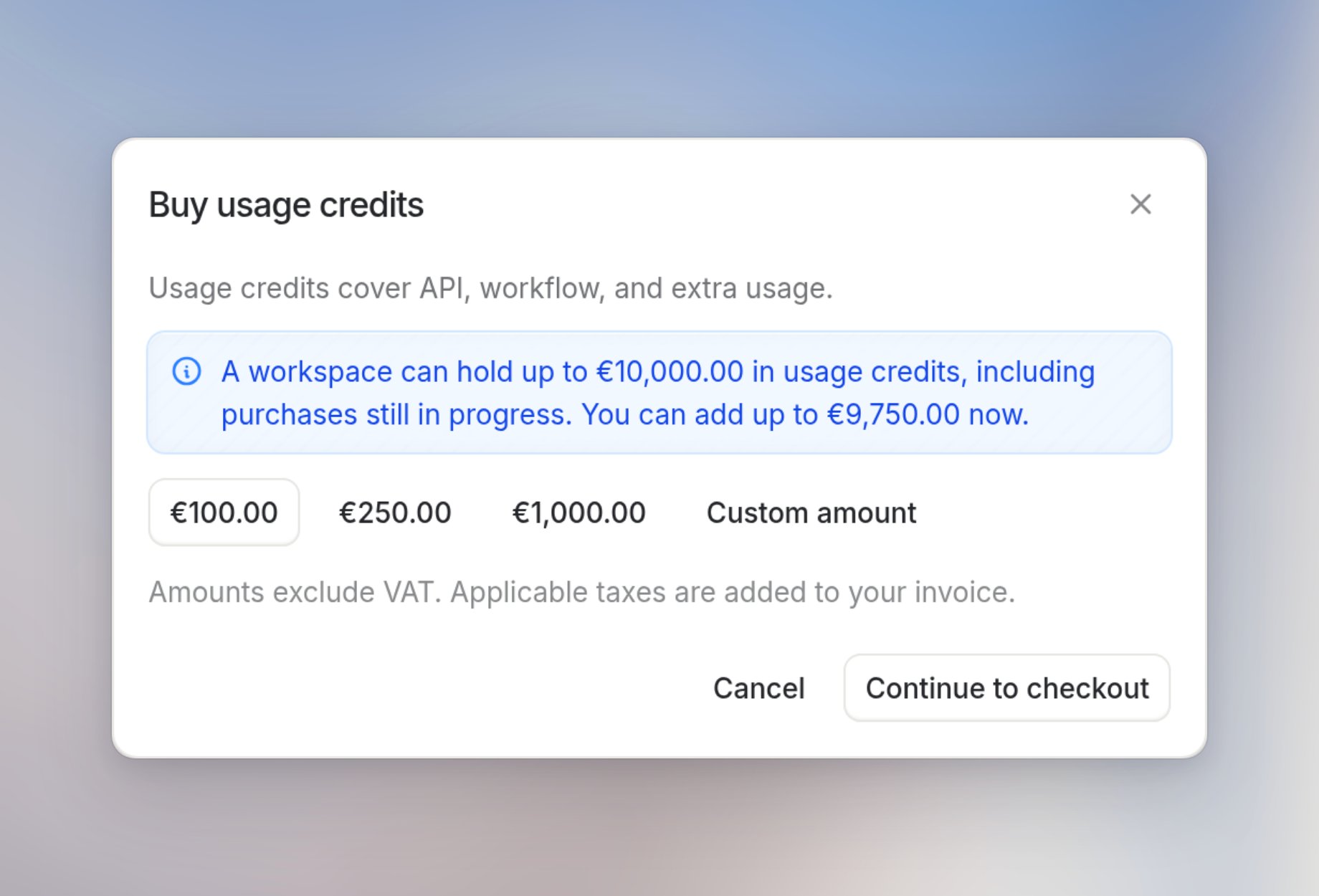 Click **Continue to checkout** and complete the purchase.
(Optional) After the purchase, click **Configure auto-reload** to have your workspace buy more credits automatically before the balance runs out. See [Turn on auto-reload](#turn-on-auto-reload).
You can pay by credit or debit card, Apple Pay, Google Pay, or PayPal. Amounts exclude VAT. Applicable taxes are added to your invoice.
Click **View credit history** to see every purchase, auto-reload, and adjustment.
## Turn on auto-reload
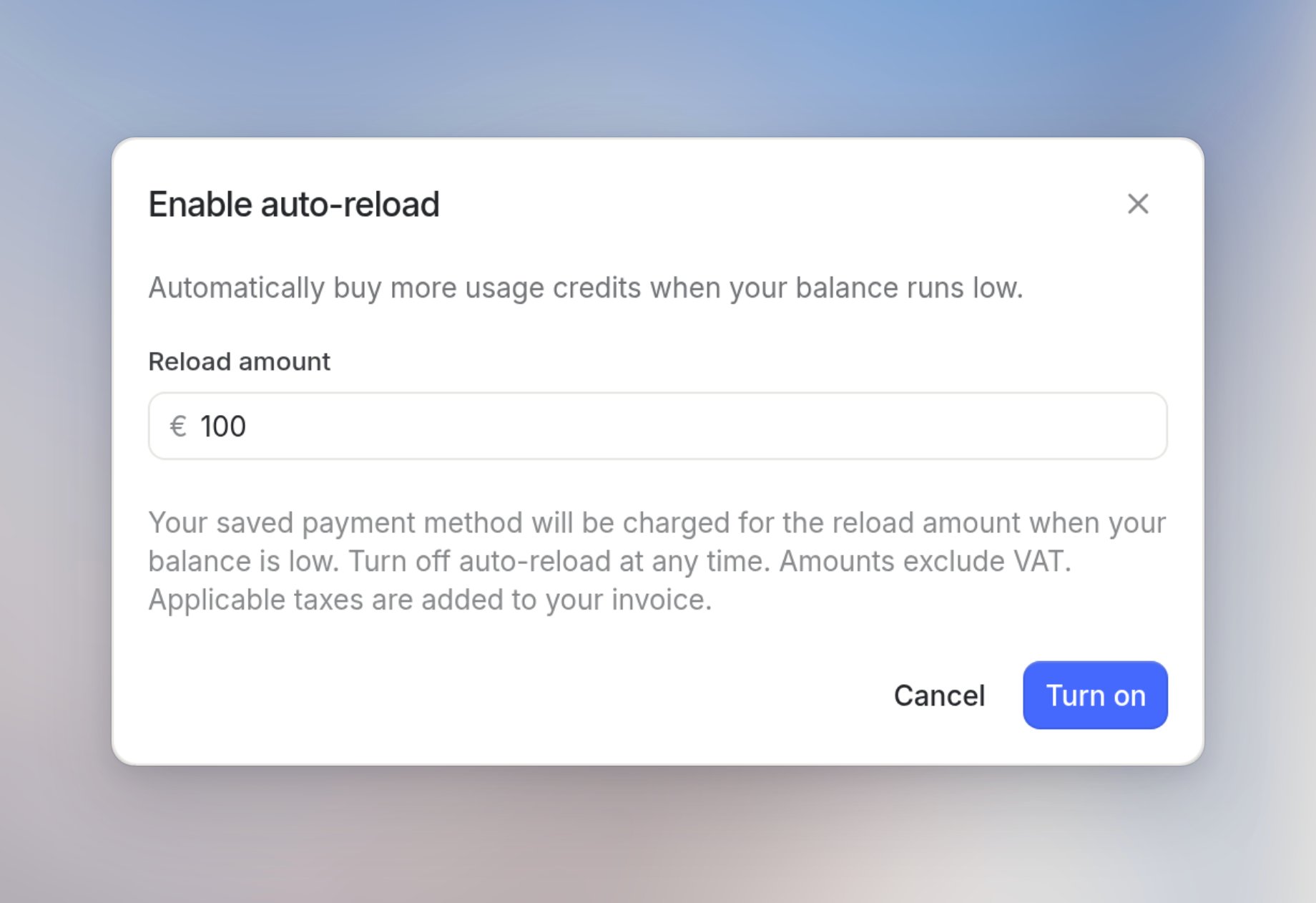
Auto-reload buys credits for you so your workspace doesn't run out. When your balance runs low, Langdock automatically charges the reload amount to your saved payment method.
Go to [Settings > Workspace > Usage & spend](https://app.langdock.com/settings/workspace/usage).
Under **Usage credits**, next to **Auto-reload**, click **Enable**.
Set a reload amount and click **Turn on**.
Click **Continue to checkout** and complete the purchase.
(Optional) After the purchase, click **Configure auto-reload** to have your workspace buy more credits automatically before the balance runs out. See [Turn on auto-reload](#turn-on-auto-reload).
You can pay by credit or debit card, Apple Pay, Google Pay, or PayPal. Amounts exclude VAT. Applicable taxes are added to your invoice.
Click **View credit history** to see every purchase, auto-reload, and adjustment.
## Turn on auto-reload
Auto-reload buys credits for you so your workspace doesn't run out. When your balance runs low, Langdock automatically charges the reload amount to your saved payment method.
Go to [Settings > Workspace > Usage & spend](https://app.langdock.com/settings/workspace/usage).
Under **Usage credits**, next to **Auto-reload**, click **Enable**.
Set a reload amount and click **Turn on**.
 ### If auto-reload fails
If a reload payment fails, workspace admins receive an email. To fix it, open [Settings > Workspace > Usage & spend](https://app.langdock.com/settings/workspace/usage) and click **Update payment method**. Once the payment method is updated successfully, auto-reload turns back on and retries the reload automatically.
## When your workspace runs out of credits
If auto-reload is turned off, your workspace can run out of usage credits. Workspace admins receive an email when the balance drops to €10 or below, and another when it reaches €0.
After your workspace runs out of credits, usage included within session and weekly limits keeps working. Extra usage, API usage, and workflow model usage pause until an admin purchases additional usage credits. Users who have reached their included limits fall back to the [fallback model](/en/using-langdock/models-and-limits/fair-usage-policy).
To add more credits, see [Buy usage credits](#buy-usage-credits).
This documentation is built and hosted on [Mintlify](https://mintlify.com), a developer documentation platform.
### If auto-reload fails
If a reload payment fails, workspace admins receive an email. To fix it, open [Settings > Workspace > Usage & spend](https://app.langdock.com/settings/workspace/usage) and click **Update payment method**. Once the payment method is updated successfully, auto-reload turns back on and retries the reload automatically.
## When your workspace runs out of credits
If auto-reload is turned off, your workspace can run out of usage credits. Workspace admins receive an email when the balance drops to €10 or below, and another when it reaches €0.
After your workspace runs out of credits, usage included within session and weekly limits keeps working. Extra usage, API usage, and workflow model usage pause until an admin purchases additional usage credits. Users who have reached their included limits fall back to the [fallback model](/en/using-langdock/models-and-limits/fair-usage-policy).
To add more credits, see [Buy usage credits](#buy-usage-credits).
This documentation is built and hosted on [Mintlify](https://mintlify.com), a developer documentation platform.