> ## Documentation Index
> Fetch the complete documentation index at: https://docs.langdock.com/llms.txt
> Use this file to discover all available pages before exploring further.
# How to add fallback models
> Use multiple deployments for one model to improve availability and manage provider limits.
Use fallback models to give one custom model multiple deployments. This improves availability when one provider endpoint, region, or API key reaches a limit or becomes unavailable.
## How fallback models work
A fallback model is another deployment for the same model. You add it in **Configure deployment** by clicking **Add another deployment**.
Use fallback models when you want the selected model to keep answering through another endpoint, region, or API key. The model stays the same, but Langdock has another deployment to try if one deployment is limited or unavailable.
Each deployment has its own **API Key**, **Model Name / ID**, optional **Tokens per minute limit**, and enabled toggle. Langdock routes requests across the enabled deployments for that model.
## How to add fallback models
For the full setup flow, see [How to add your own models](/en/admin/byok/adding-models).
1. Go to [Workspace Settings -> Models](https://app.langdock.com/settings/workspace/models) and click **Add custom model**.
2. Select the model.
3. Complete the model configuration until you reach **Configure deployment**.
4. Click **Add another deployment**.
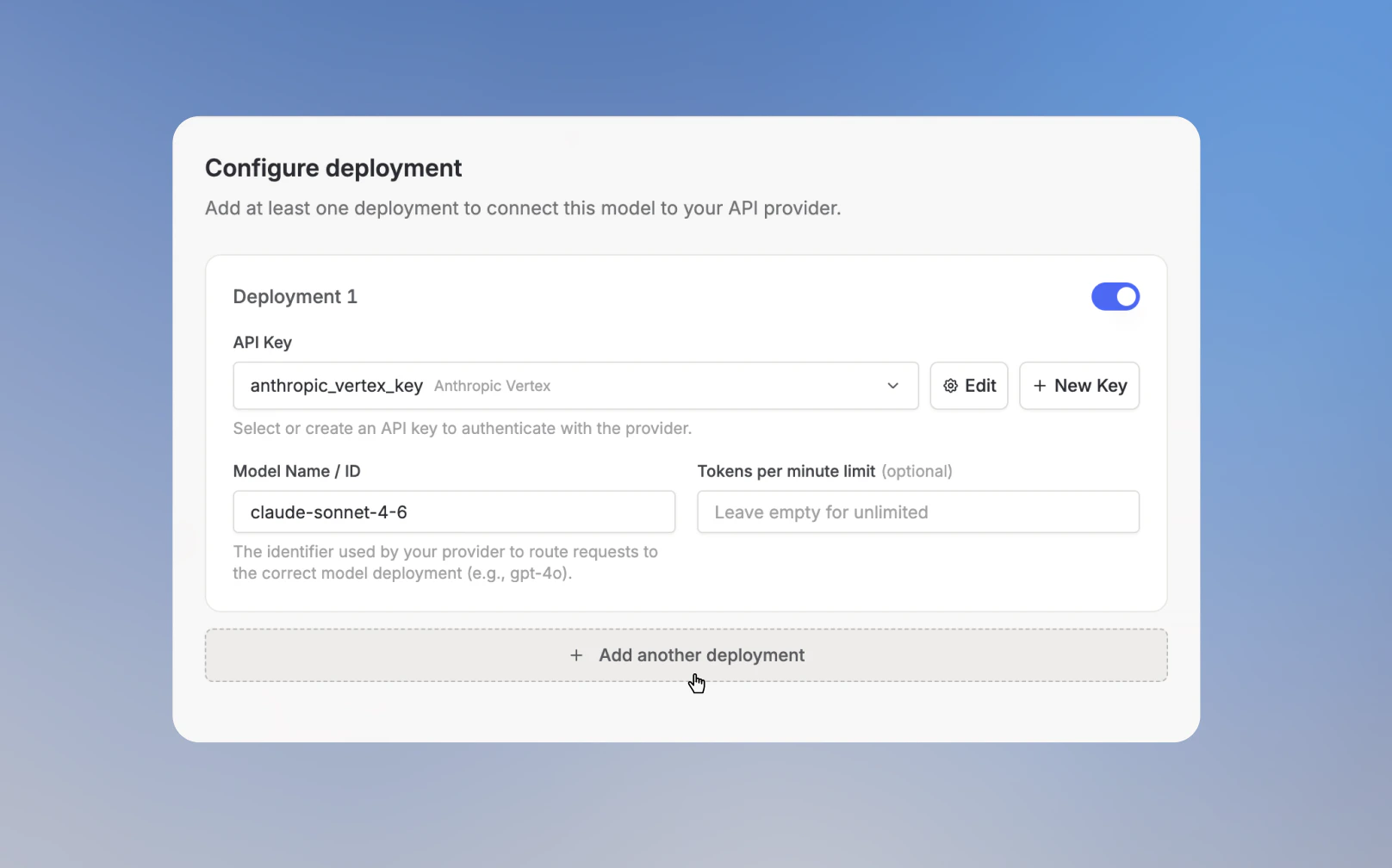 5. Add the **API Key** and **Model Name / ID** for the fallback deployment.
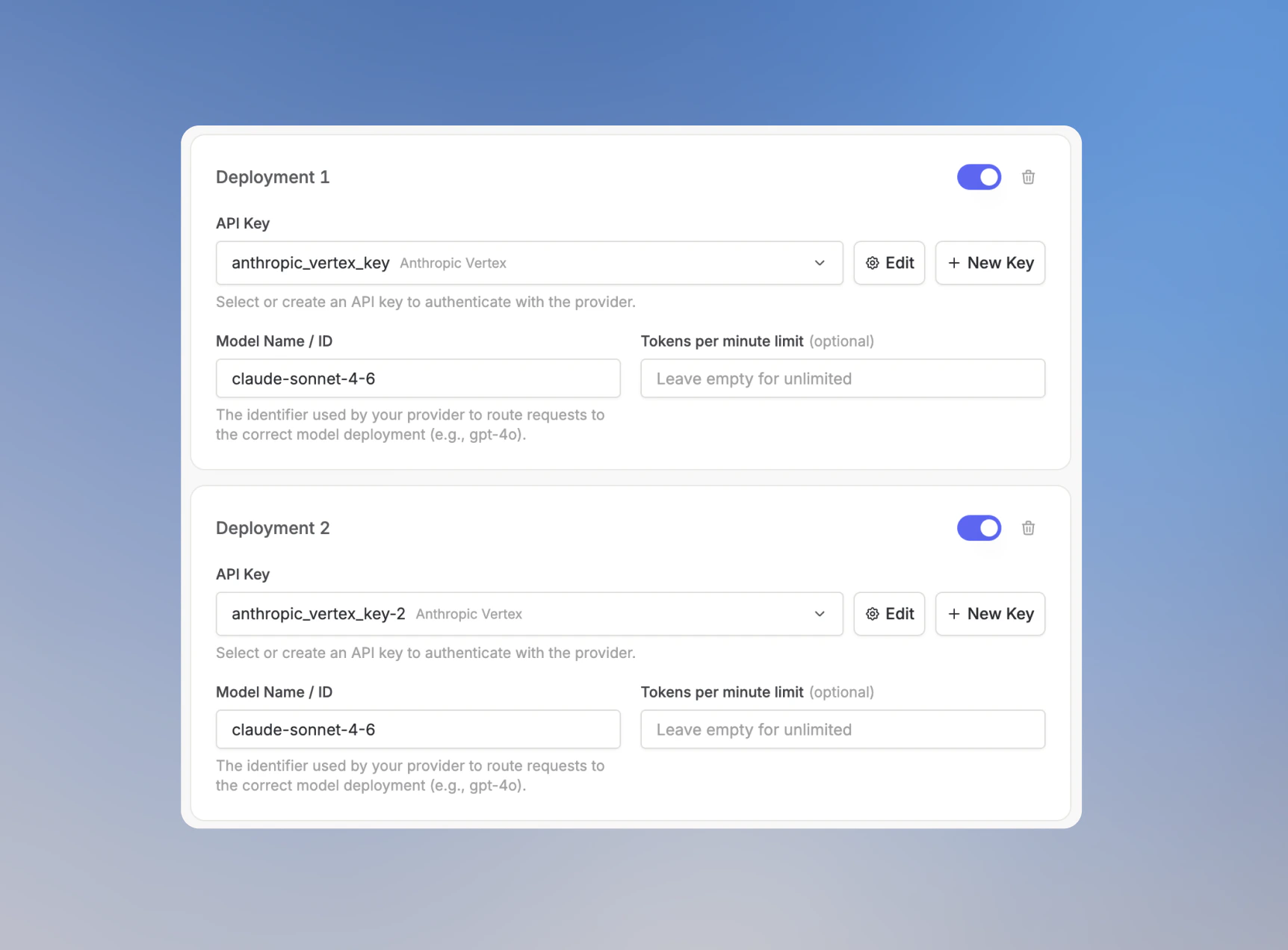 6. Optional: set a **Tokens per minute limit** for the fallback deployment.
7. Click **Test & continue**, then click **Save model** after the test passes.
## How requests are routed
Langdock routes requests across enabled deployments for the selected model. Disabled deployments are not used.
* Set a **Tokens per minute limit** on every deployment when deployments have different capacity. Deployments with higher limits receive more traffic.
* Leave **Tokens per minute limit** empty when deployments should share traffic evenly. Langdock rotates requests across available deployments.
* If a deployment reaches its limit or becomes unavailable, Langdock tries another enabled deployment.
6. Optional: set a **Tokens per minute limit** for the fallback deployment.
7. Click **Test & continue**, then click **Save model** after the test passes.
## How requests are routed
Langdock routes requests across enabled deployments for the selected model. Disabled deployments are not used.
* Set a **Tokens per minute limit** on every deployment when deployments have different capacity. Deployments with higher limits receive more traffic.
* Leave **Tokens per minute limit** empty when deployments should share traffic evenly. Langdock rotates requests across available deployments.
* If a deployment reaches its limit or becomes unavailable, Langdock tries another enabled deployment.